One reception desk for the whole clinic
Today: “Hold on, I’ll put you through to the surgery”The clinic’s reception phone rings for every dentist. The receptionist cannot see into their calendars, so she calls the surgery while the patient waits on the line.
How it works
- In the clinic settings you add receptionists and decide whether they may take payments.
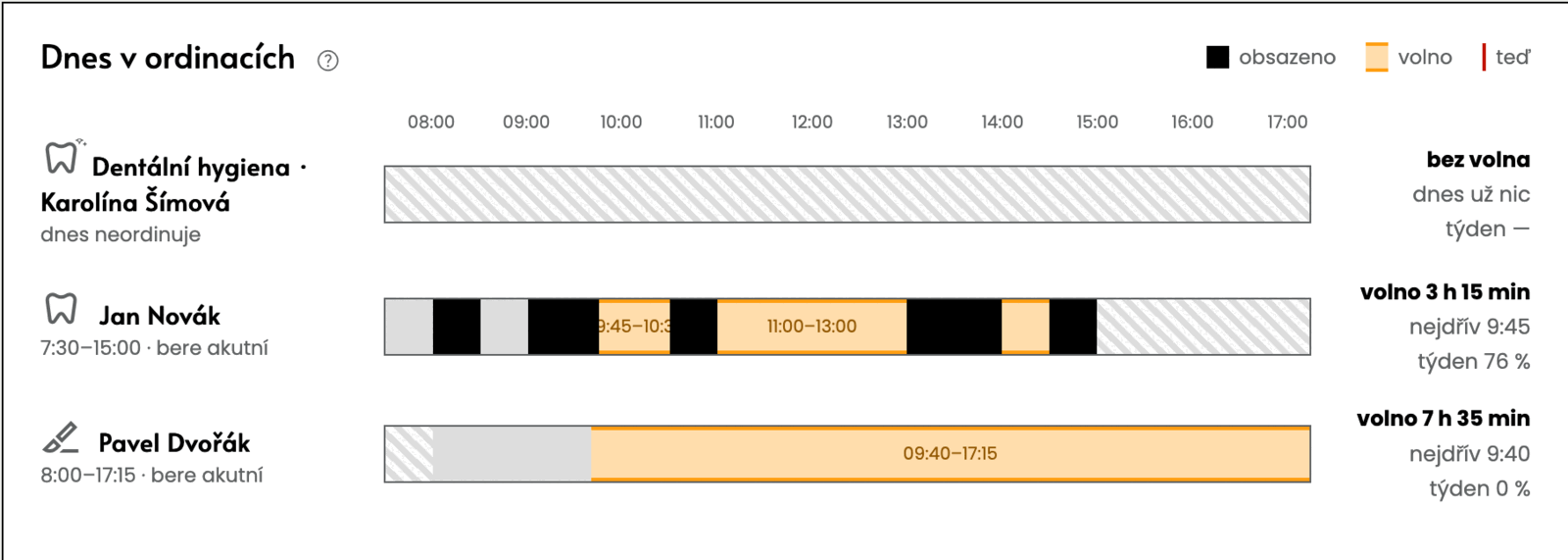
- The reception sees today in every surgery, searches for the patient and a free time across the whole clinic, and books, moves or cancels a visit.
- In a dentist’s calendar the reception only writes entries. An acute patient or an exception goes to the surgery as a request, and the surgery approves it.
What you do
Add receptionists in the clinic settings.
Common objections
- What if another patient is standing at the desk?
- The Hide details button hides the patients’ details on the screen and the browser remembers it.
- Can the reception take fees?
- Yes, if the clinic owner allows it. A cancellation fee is then paid right at the desk.
- How do we add receptionists?
- Already in the signup wizard, or at any time later in the clinic settings.