Features That Earn Money for the Practice and Save Nurse Time
No unnecessary features. Just tools that put no-show money back in the owner's pocket and give nurses more time to work.
What Zuboklik Can Do Compared to Others
Comparison with competition
We compare only the booking and appointment part — Zuboklik runs alongside practice management systems, it does not replace them. We include universal online booking tools as well as the built-in booking modules of the major Czech practice management systems.
| Funkce | Zuboklik | ClickDoc | Planfy | Reservio | Booklux | zubari.online | XDENT | Dent21 | PC DENT | DENTIST+ | DentMax | Dentbook |
|---|---|---|---|---|---|---|---|---|---|---|---|---|
| Online booking by patient | check_circle | check_circle | check_circle | check_circle | check_circle | check_circle | check_circle | Module +490 CZK/month | Only via ClickDoc | Only via ClickDoc | Via NavstevaLekare.cz | check_circle |
| Instant booking without reception approval | check_circle | cancel | cancel | cancel | cancel | cancel | Optional (manual by default) | cancel | cancel | cancel | cancel | check_circle |
| PIN instead of password | check_circle | cancel | cancel | cancel | check_circle | cancel | cancel | cancel | cancel | cancel | cancel | cancel |
| Biometric login (Face ID / Touch ID) | check_circle | cancel | cancel | cancel | cancel | cancel | cancel | cancel | cancel | cancel | cancel | cancel |
| Intelligent time combination by symptoms+ urgency + insurance | check_circle | cancel | cancel | cancel | cancel | cancel | cancel | cancel | cancel | cancel | cancel | cancel |
| Cancellation fees with automatic enforcementSMS + QR, escalation | check_circle | cancel | cancel | cancel | cancel | cancel | cancel | cancel | cancel | cancel | cancel | cancel |
| Automatic bank payment matching | check_circle | cancel | cancel | cancel | cancel | cancel | cancel | Module 8 990 CZK (from e-mail) | cancel | cancel | cancel | cancel |
| Blocking of no-shows | check_circle | cancel | cancel | cancel | cancel | cancel | cancel | cancel | cancel | cancel | cancel | cancel |
| AI assistant for staff | check_circle | cancel | cancel | cancel | cancel | cancel | cancel | Different (AI phone 19 990 + 7 990/month) | cancel | cancel | cancel | cancel |
| Trash and restore for deleted records | check_circle | cancel | cancel | cancel | cancel | cancel | cancel | cancel | cancel | cancel | cancel | cancel |
| Intelligent time calculation by symptoms | check_circle | cancel | cancel | cancel | cancel | cancel | Minute-based calculation | Preset time per procedure | cancel | cancel | cancel | cancel |
| Text search for appointments in natural language | check_circle | cancel | cancel | cancel | cancel | cancel | cancel | Form-based (supports series with gaps) | cancel | cancel | cancel | cancel |
| Family accounts (book whole family) | check_circle | cancel | cancel | cancel | check_circle | cancel | cancel | Module (individual) | cancel | cancel | cancel | cancel |
| Acute gaps (automatically created) | check_circle | cancel | cancel | cancel | cancel | cancel | cancel | cancel | cancel | cancel | cancel | cancel |
| Free/booked ratio for each day | check_circle | Only fully booked | Only fully booked | Only fully booked | Color distinction | cancel | cancel | cancel | cancel | cancel | cancel | cancel |
| Monthly view with visit type icons | check_circle | cancel | cancel | cancel | cancel | cancel | cancel | cancel | cancel | cancel | cancel | cancel |
| Special daily overview for doctor | check_circle | cancel | cancel | cancel | cancel | cancel | cancel | cancel | cancel | cancel | cancel | cancel |
| Yearly calendar view | check_circle | cancel | cancel | cancel | cancel | cancel | cancel | cancel | cancel | cancel | cancel | cancel |
| Conflict detection when changing work hours | check_circle | cancel | cancel | cancel | cancel | cancel | cancel | cancel | cancel | cancel | cancel | cancel |
| Real-time synchronization without refresh | check_circle | cancel | check_circle | check_circle | check_circle | cancel | cancel | cancel | cancel | cancel | cancel | cancel |
| Waitlist with SMS offer | Automatic SMS + link | cancel | cancel | cancel | cancel | cancel | Has waitlist, SMS automation unverified | cancel | cancel | cancel | cancel | cancel |
| Dynamic symptom reordering | check_circle | cancel | cancel | cancel | cancel | cancel | cancel | cancel | cancel | cancel | cancel | cancel |
| Vacations with online booking blocking | check_circle | cancel | check_circle | Limited | check_circle | check_circle | cancel | cancel | cancel | cancel | cancel | check_circle |
| Notes for the day | check_circle | cancel | cancel | cancel | check_circle | cancel | cancel | cancel | cancel | cancel | cancel | cancel |
| Self-service cancellation / move appointment online | check_circle | cancel | cancel | cancel | cancel | cancel | cancel | cancel | cancel | cancel | cancel | Cancellation only |
| Save calendar invite | check_circle | cancel | cancel | cancel | cancel | cancel | cancel | cancel | cancel | cancel | cancel | check_circle |
| Online booking languages | CZ + EN + UA + SK | cancel | cancel | cancel | cancel | cancel | 6 languages (per FAQ) | cancel | cancel | cancel | cancel | CZ |
| SMS notifications | 1.20 CZK/SMS | On request | Credit 0.05-0.07 £/SMS | Credit separately | By plan | from 1.60 CZK/SMS | 2.99 CZK/SMS, UNLIMITED free | Included (1.10 CZK off-switchboard) | CGMesky separately | CGMesky separately | Included | Included |
| Insurance rules | check_circle | cancel | cancel | cancel | cancel | cancel | cancel | cancel | cancel | cancel | cancel | cancel |
| Type of system | Booking system alongside practice SW | Universal online booking | Universal online booking | Universal online booking | Universal online booking | Booking system for dental practices | Complete practice management SW | Complete practice management SW | Complete practice management SW (desktop) | Complete practice management SW (desktop) | Complete practice management SW (cloud) | Booking system for dental practices (cloud) |
Online booking by patient
Instant booking without reception approval
PIN instead of password
Biometric login (Face ID / Touch ID)
Intelligent time combination by symptoms+ urgency + insurance
Cancellation fees with automatic enforcementSMS + QR, escalation
Automatic bank payment matching
Blocking of no-shows
AI assistant for staff
Trash and restore for deleted records
Intelligent time calculation by symptoms
Text search for appointments in natural language
Family accounts (book whole family)
Acute gaps (automatically created)
Free/booked ratio for each day
Monthly view with visit type icons
Special daily overview for doctor
Yearly calendar view
Conflict detection when changing work hours
Real-time synchronization without refresh
Waitlist with SMS offer
Dynamic symptom reordering
Vacations with online booking blocking
Notes for the day
Self-service cancellation / move appointment online
Save calendar invite
Online booking languages
SMS notifications
Insurance rules
Type of system
Zuboklik combines the most important tools for booking in private dental practice
Zuboklik's Flagship Feature
Cancellation fees that collect themselves
The only feature that directly puts money in your pocket. Every no-show is automatically turned into a recovered amount. No phone calls, no paperwork, no lawyers.
Real impact on your practice
With 6 no-shows per month, that's CZK 108,000–216,000 per year Zuboklik helps you recover — automatically.
Automatic fee on no-show
The system creates the cancellation fee the moment a patient doesn't show up for their appointment. Neither nurse nor doctor has to do anything — the fee is created, assigned to the patient and an SMS with QR payment is sent.
Mr. Svoboda didn't show for his 10:00 Tuesday prevention. The practice has 30 empty minutes and no replacement. Zuboklik at 10:05 automatically created a CZK 1,500 cancellation fee, sent the patient an SMS with QR code and waits for payment.
Typical nurse time saved
10 hrs/month
vs. manual collection by phone
Legal certainty via consent at booking
The patient agrees to the cancellation fee amount at the time of booking. In case of a dispute, you have clear proof that the patient knew the terms in advance and agreed to them. No lawyers, no arguments.
Mrs. Dvořáková claims she didn't know about the cancellation fee. Zuboklik shows in the patient card the date and time the terms were accepted. Dispute resolved in 30 seconds.
Disputes resolved without escalation
99%
of all cases settled at first contact
SMS with QR payment & escalation reminders
Patient receives an SMS with variable symbol and QR code for instant payment. If they don't pay, the system sends a reminder after 3 days, and a second one after 7 days. The escalation is fully automatic.
Mr. Novák got an SMS with QR code. He opened it in his KB app, scanned the QR and paid within 15 seconds. Nurse didn't have to do anything.
How it works
SMS with QR code + escalation
Day 1 · Initial SMS
You missed your appointment on Jul 14 at 10:00. Cancellation fee CZK 1,500. VS: 1234567890
QR code for payment attached
+3 days
Day 3 · Reminder
Still unpaid. Please settle within 4 days. Same QR code in this SMS.
+4 days
Day 7 · Final notice
Last warning before block. If unpaid, the safety net will be activated.
Fully automatic — no phone calls from the nurse
Automatic bank-payment matching
Zuboklik connects to Fio bank via API and checks for new payments every few minutes. As soon as a payment arrives with the right variable symbol and message, the system matches it to the cancellation fee and marks it as paid. For ČSOB and KB it works via e-mail notification with a step-by-step guide for the bank.
Mrs. Procházková paid by transfer from ČSOB. Zuboklik sent her a guide on how to include 'Zuboklik: poplatek za zmeskani VS1234567890' in the recipient message. The bank sent an e-mail and the system matched the fee within 5 minutes.
How it works
Bank payment matching
Patient's bank
Fio, ČSOB, KB, Raiffeisenbank, Air Bank
Fio API / e-mail notice
Zuboklik matcher
Checks for new payments every 5–15 minutes
VS + amount
Cancellation fee
Marked as paid
Full match in 5 minutes, no manual work
Block debtors + 'I already paid' safety net
A patient with an unsettled cancellation fee cannot book online again. If a patient claims they've already paid but the system hasn't yet matched the payment (slow bank), you have a safety net: verify the payment in the records and, in extreme cases, manually allow the booking.
Mr. Svoboda has an unsettled fee and wants to book. The system shows him 'Unsettled cancellation fee' when he tries. If he claims he paid, the nurse verifies in the bank and can unblock with one click.
How it works
Debtor block + safety net
Debtor with unsettled fee
System shows 'Unsettled cancellation fee' on booking attempt
Claims: 'I already paid'
Nurse verifies in the bank
One click to confirm payment, or manually unblock if justified
Bank confirms the payment
Automatically unblocked
Patient can book again
Safety net for slow banks — no patient is ever stuck
Settle, forgive & audit trail
From the patient card, settle the fee in one click — or forgive it with a mandatory note (why forgiven). The complete audit trail shows who did what when — in case of a dispute you have proof.
Mr. Horák apologized — he had a serious family situation. Nurse opened his card, clicked 'Forgive' and entered 'Family emergency, first incident'. The fee was reflected in the report and everything was logged for any future audit.
Audit records per fee
5+
full history reconstruction for any dispute
For Patients
Simple Online Booking
Your patients book themselves, whenever they need. No waiting on phone, no closed practice.
PIN login instead of password
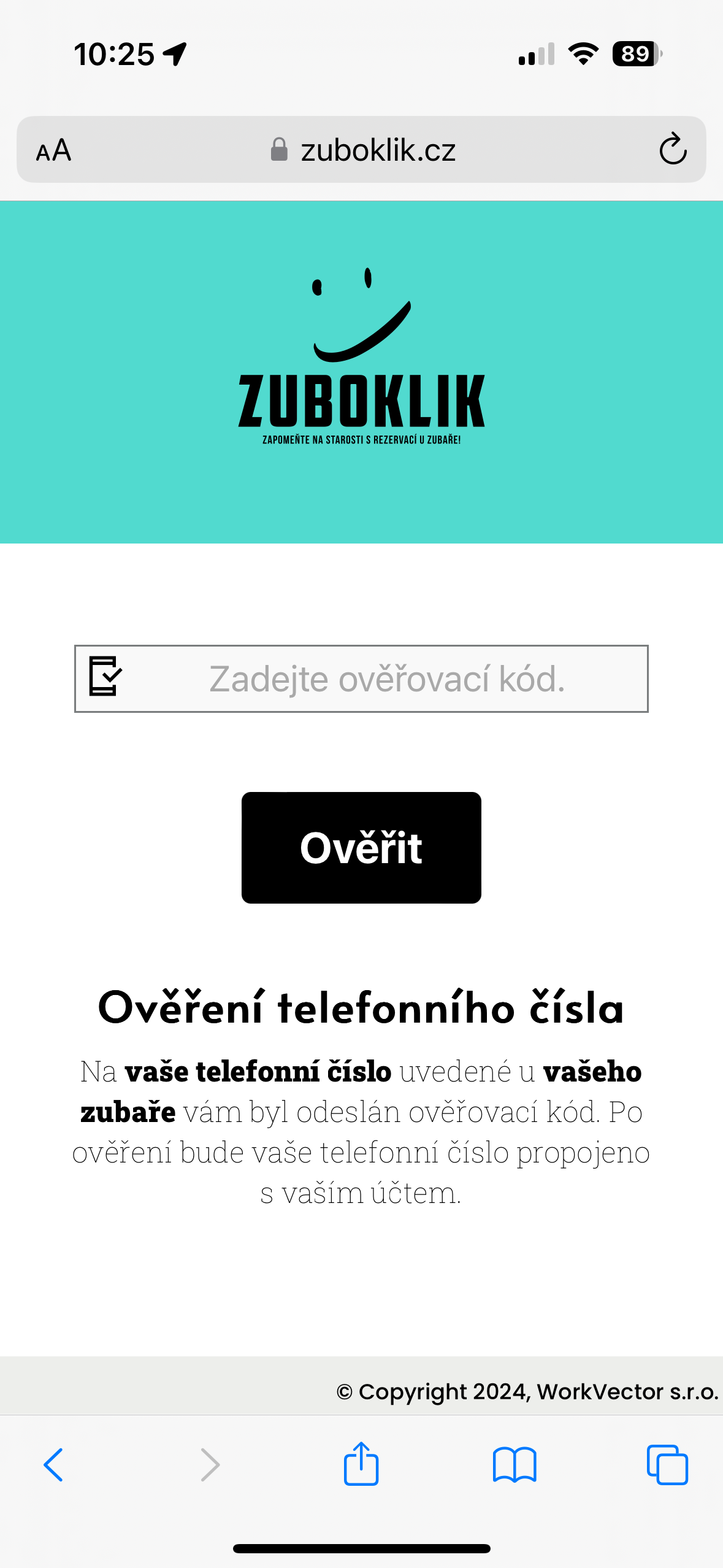
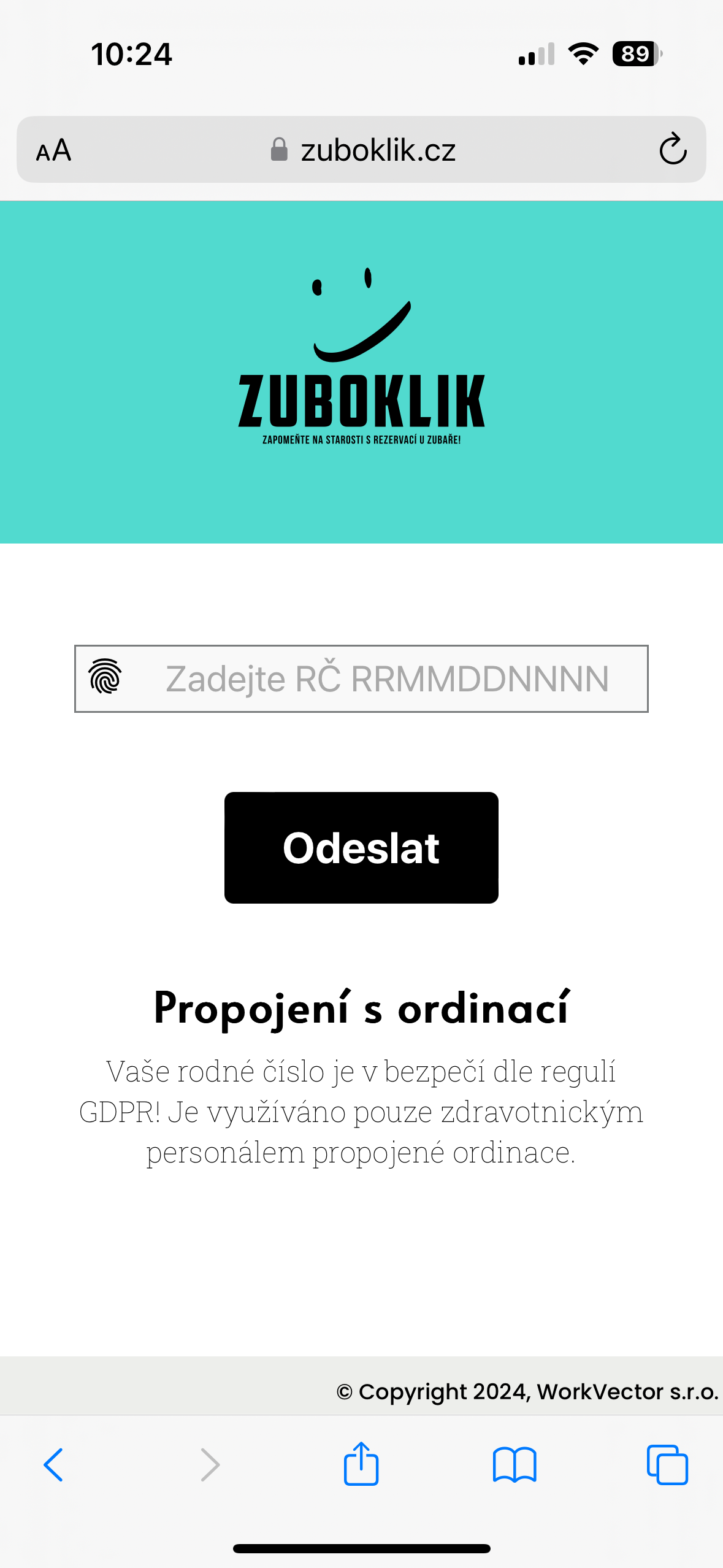
Patients log in using birth number or dental number. No forgetting passwords, no resets. For the most convenient experience, biometric login (Face ID / Touch ID) is also available - fingerprint or face, no typing required. Verified to work for all generations - from children to seniors.
Mr. Novák (65 years) needs to book dentist. Opens link, enters birth number and is logged in. Next time he just places his finger on the reader (Touch ID) and is done. No password, no complications.
Intelligent time by symptoms
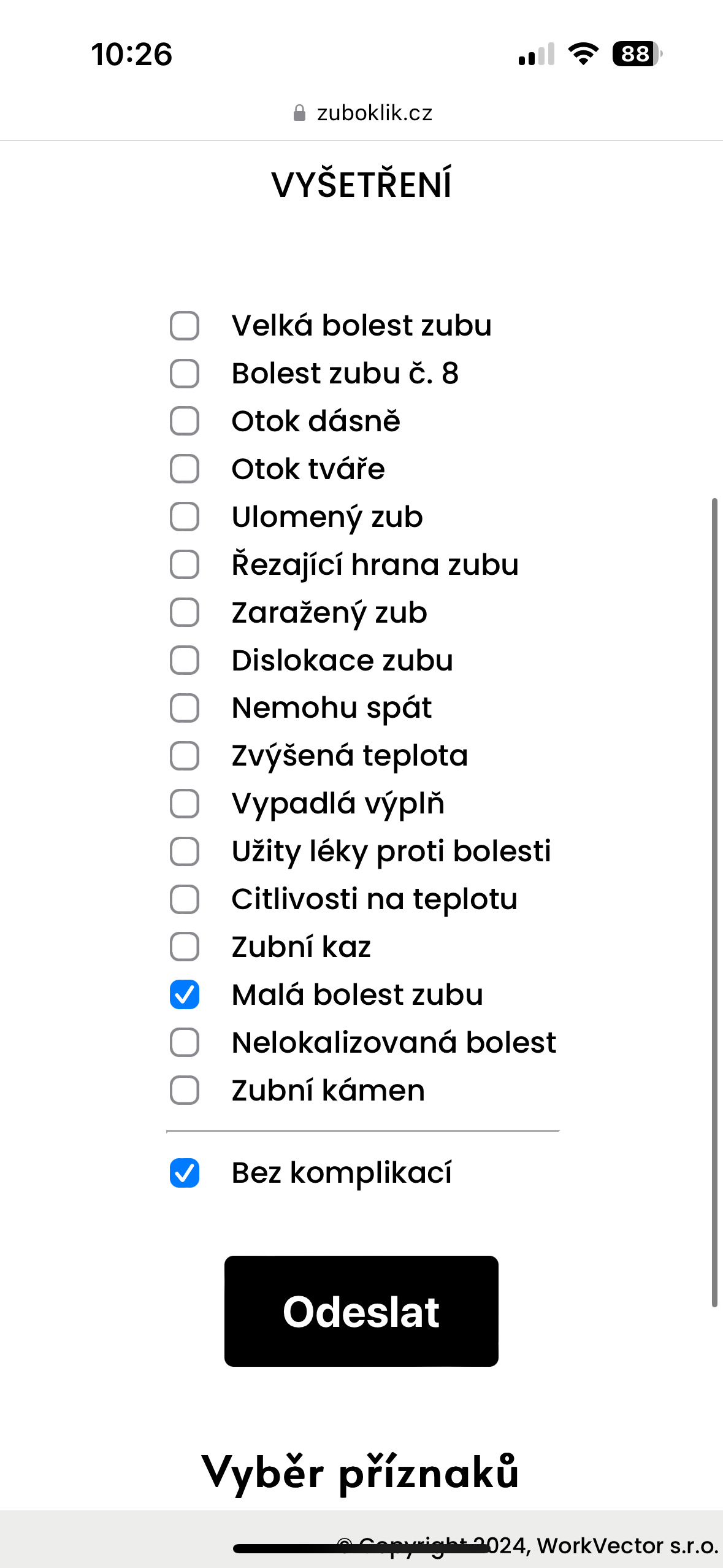
Patient selects from clearly formulated symptoms (fallen filling, tooth pain, gum bleeding). System intelligently calculates required time from symptoms and finds suitable appointment.
Patient marks 'fallen filling' and 'pain when biting'. System knows the symptoms are related and needs 25 minutes for procedure. Offers only appointments with sufficient time.
Family accounts
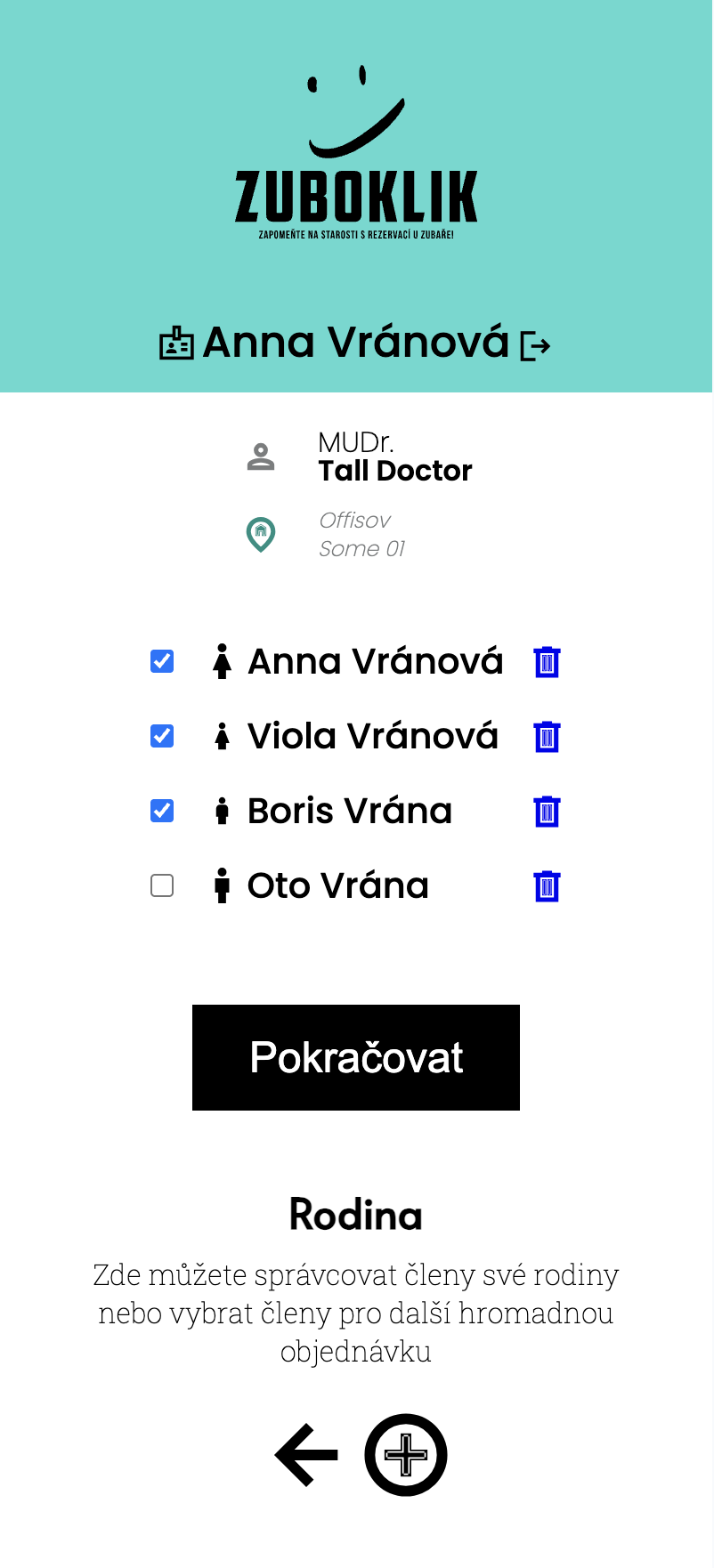
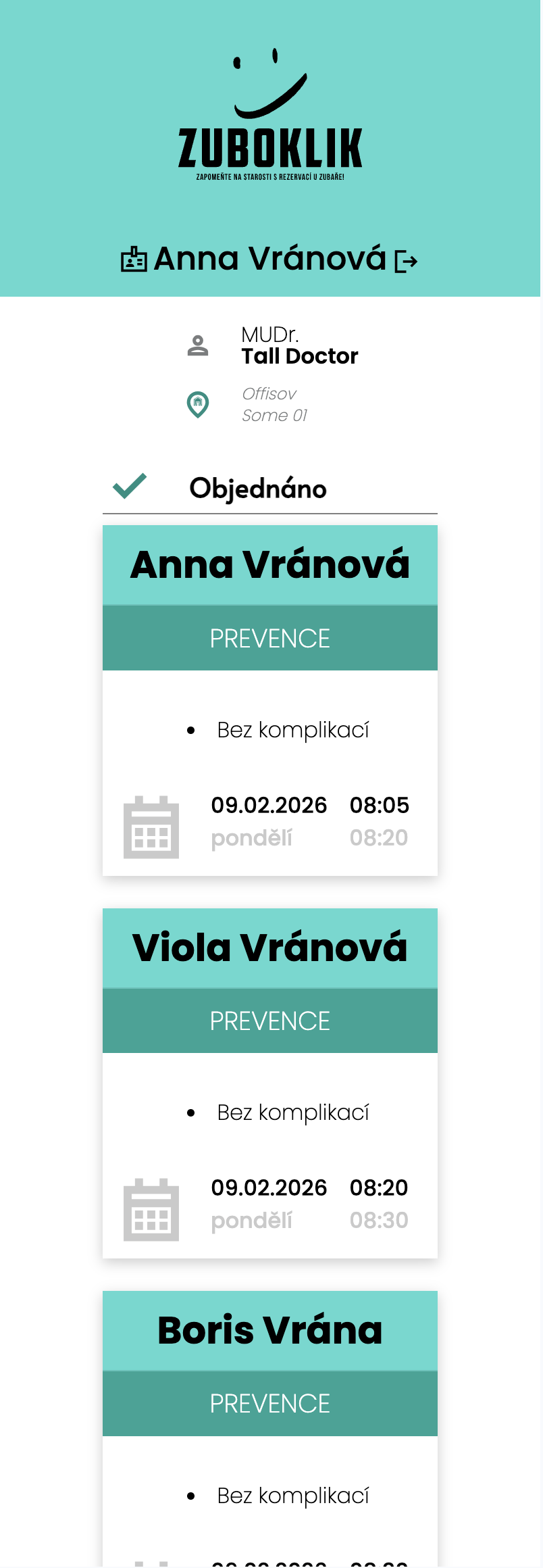
Parent can book entire family from one account. Sees all appointments of children, partner and grandparents. Can send invitations to family members via SMS.
Mrs. Svobodová books check-up for herself, son (8 years) and daughter (12 years). Sees all three appointments in one calendar. Daughter gets SMS with invitation and can see appointment too.
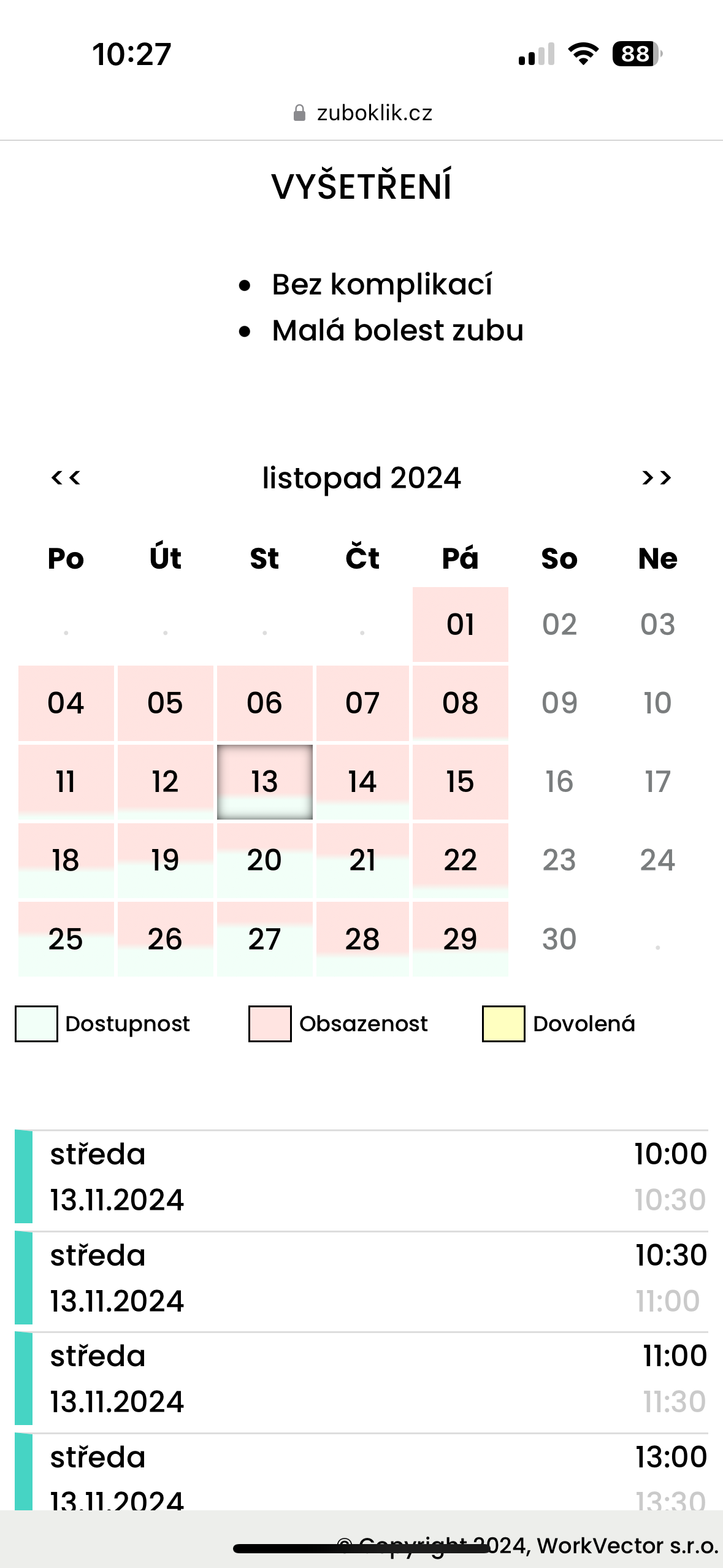
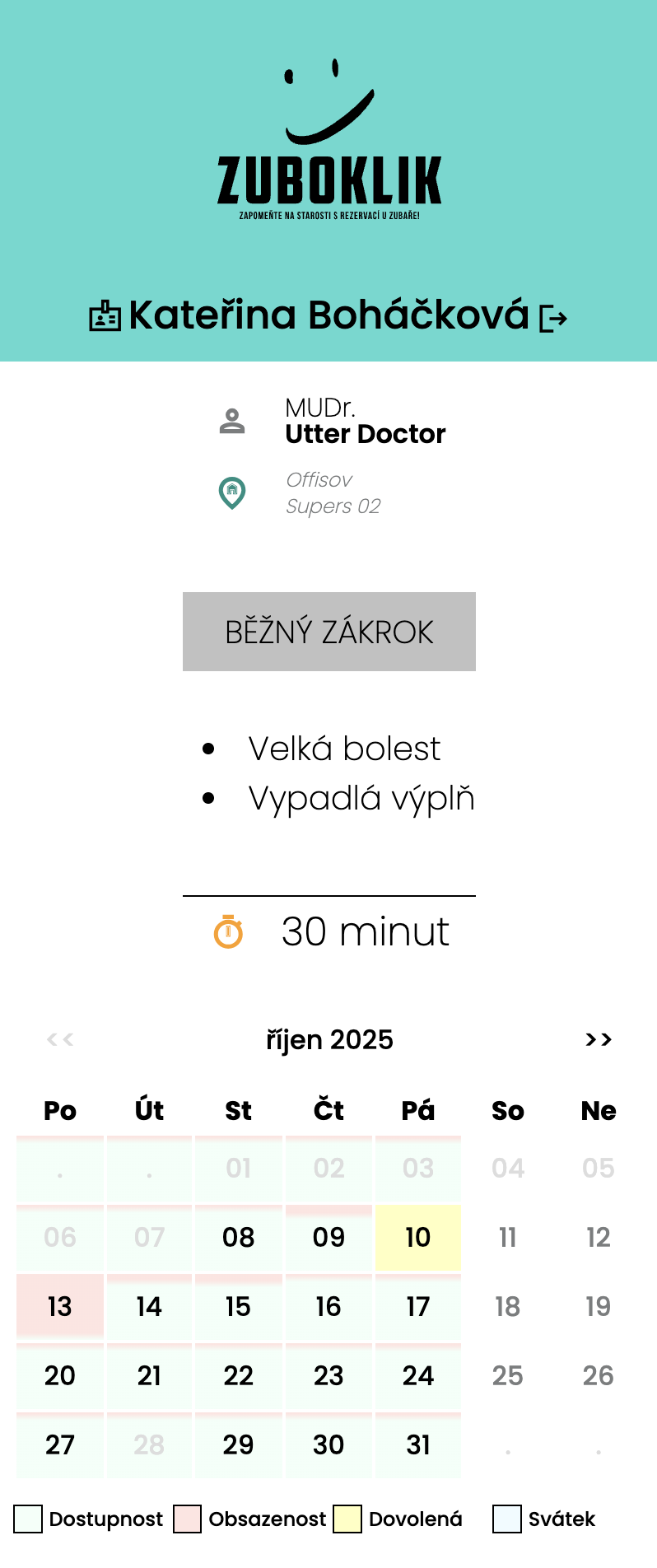
Calendar with daily availability
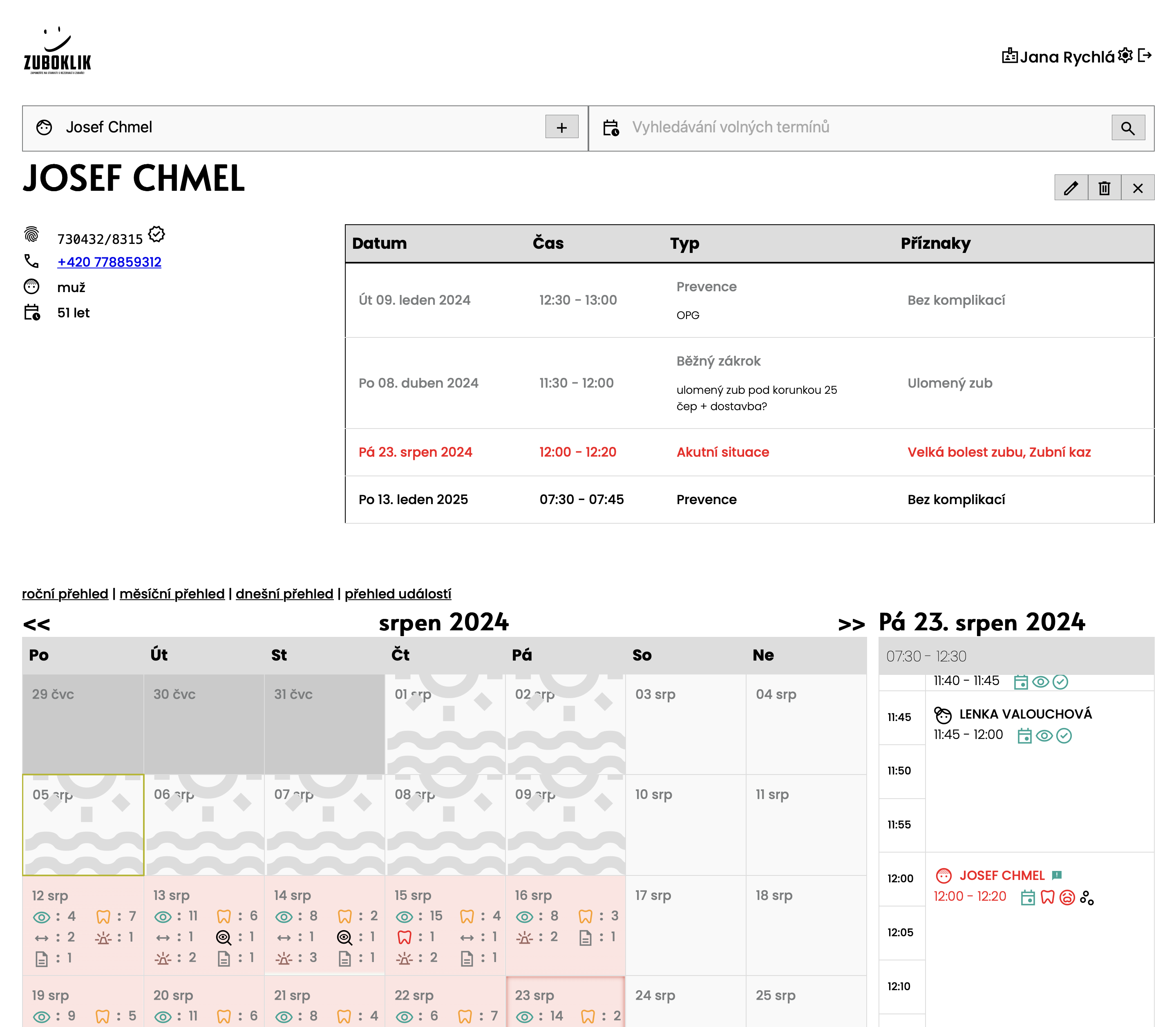
Patients see monthly calendar with color-coded availability for each day. Each day shows ratio of free and booked slots - light green means available, light red means booked. They immediately see which days have most free slots or when there's vacation.
Mr. Novák needs appointment next week. In calendar he sees Monday is all red (fully booked), Tuesday has small green part (almost full), but Thursday is half green (lots of availability). He clicks Thursday and chooses from many available times. Saves unnecessary clicking.
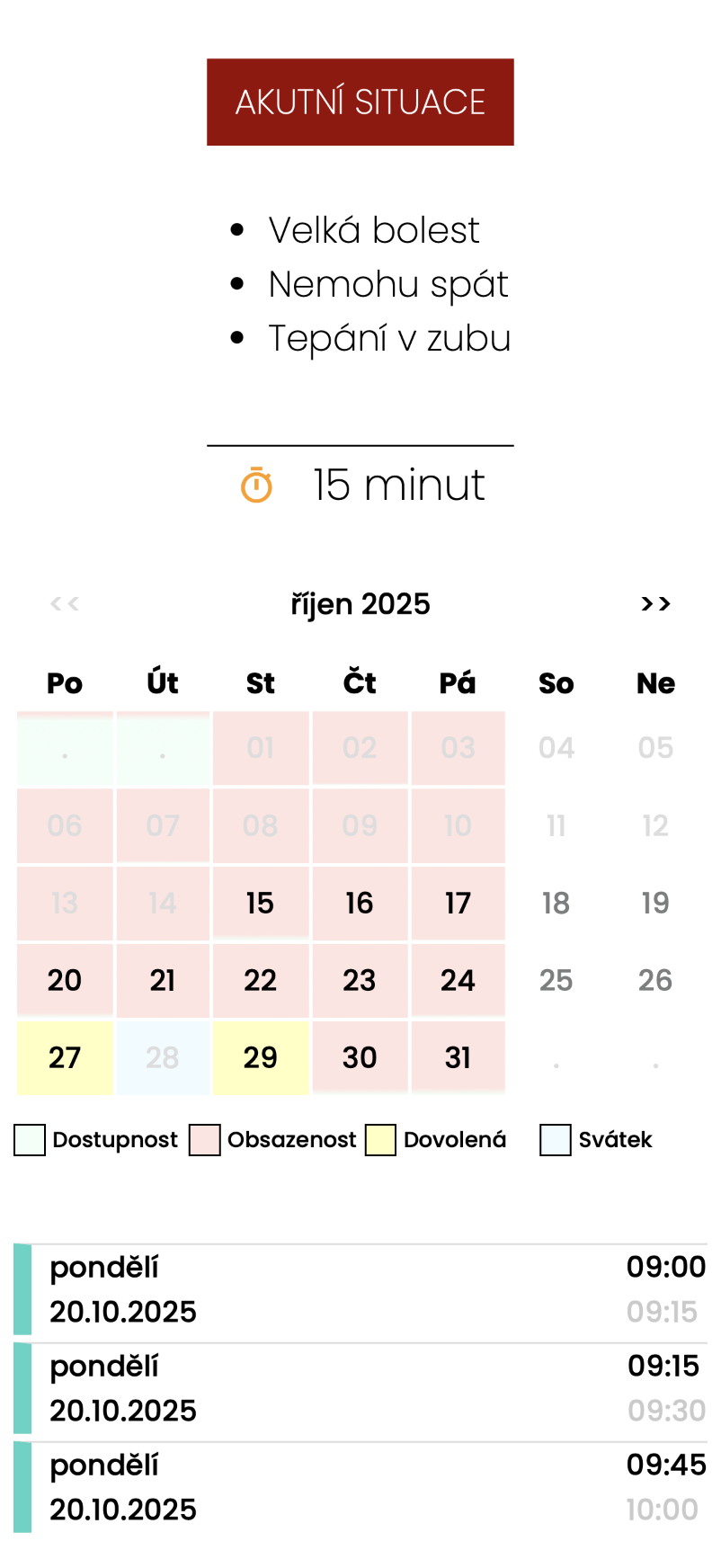
Acute gaps
Patient needs help right away? They search for acute appointment. Practice reserves free time for acute cases that come during the day. When nobody comes, time is used normally.
Mr. Svoboda has severe tooth pain at night. In morning he logs into Zuboklik, enters symptoms and search immediately offers 'Acute appointment today 9:00'. Practice has reserve and patient gets help same day.
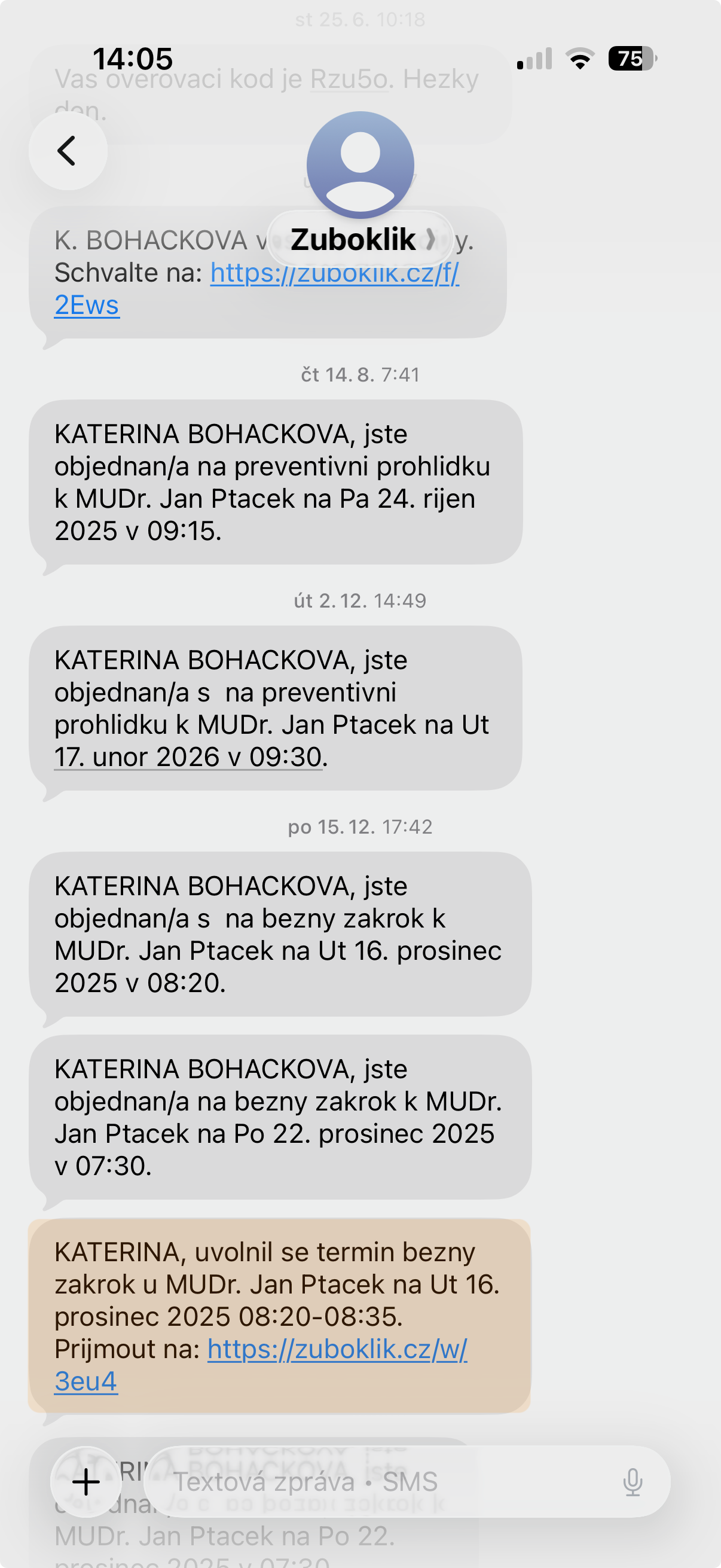
Waitlist
Patient can sign up for waitlist if no suitable appointment is found. When slot becomes available, system automatically sends SMS with offer. Patient can accept appointment directly from SMS with one click.
Mrs. Smith needs appointment next Tuesday but it's fully booked. She signs up for waitlist. On Monday someone cancels and system automatically sends SMS: 'Appointment available Tuesday 10:00 - click here to book'. Mrs. Smith clicks and has it reserved.
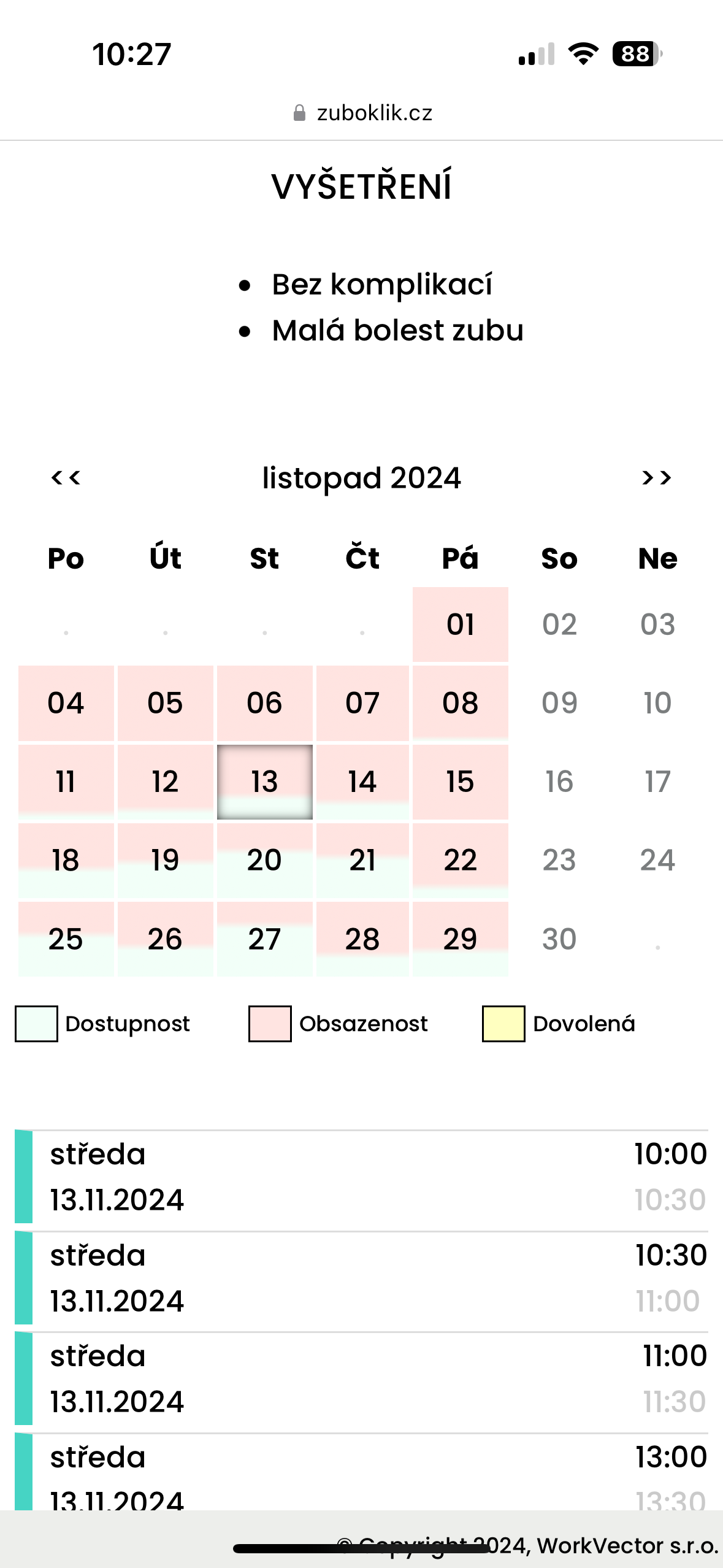
Automatic SMS reminders
System automatically sends booking confirmation and reminder 2 days before visit. You don't have to do anything.
Patient books for Tuesday. Sunday morning gets SMS: 'Reminding your visit at Dr. Nováková's practice tomorrow at 14:00.' If they forget the appointment, there's still enough time to arrange the visit.
For Practice
Intelligent Calendar Management
Calendar that knows what it's doing. Automatically calculates times, guards insurance rules, alerts for holidays and watches for collisions.
Time calculation by symptoms
When patient books online, system intelligently calculates time: combines related symptoms into one time, distinguishes acute vs preventive care, respects insurance rules. During manual booking the nurse gets a suggested estimate as a badge — she can enable it per-user. The nurse still sets the time herself, but she does not have to start from scratch.
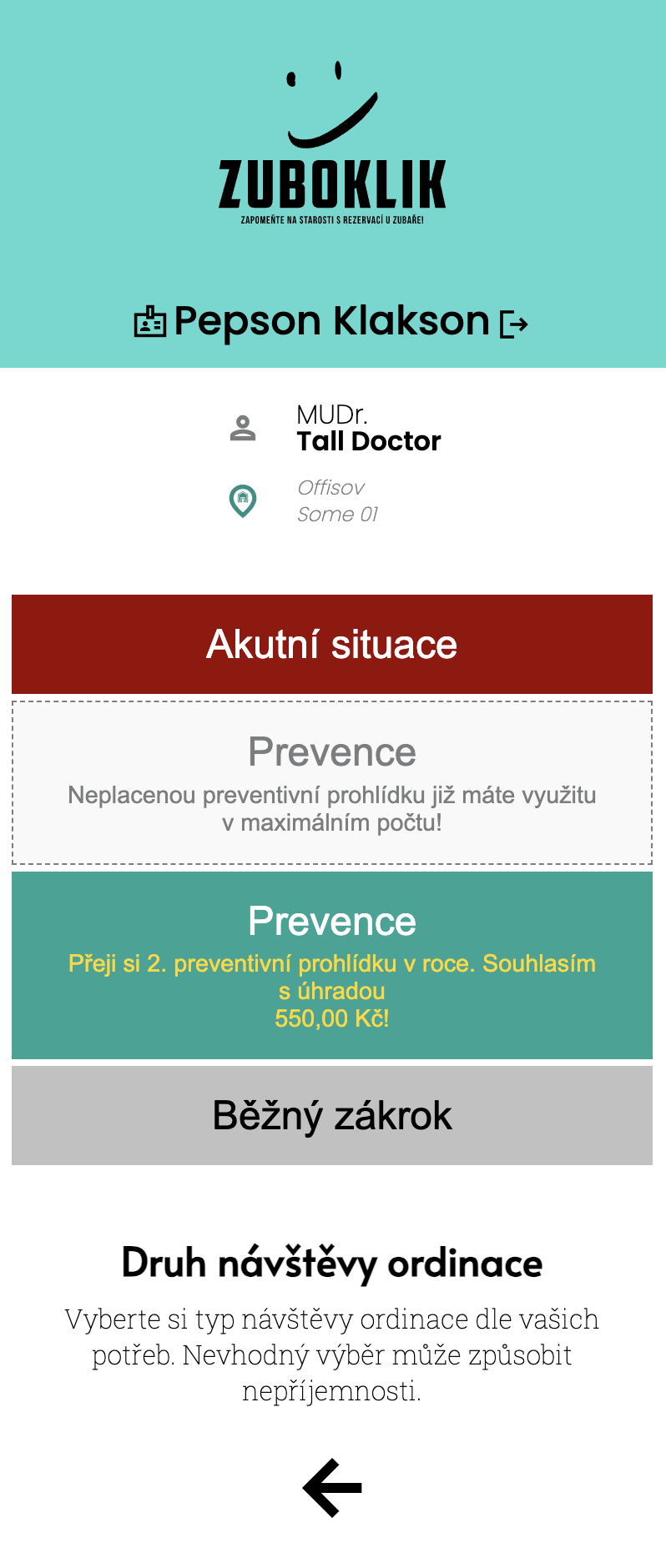
Insurance rules for prevention
System knows how many preventions insurance covers (e.g. 2x yearly children free, 1x adults free, additional for 550 CZK). Automatically checks if patient is eligible.
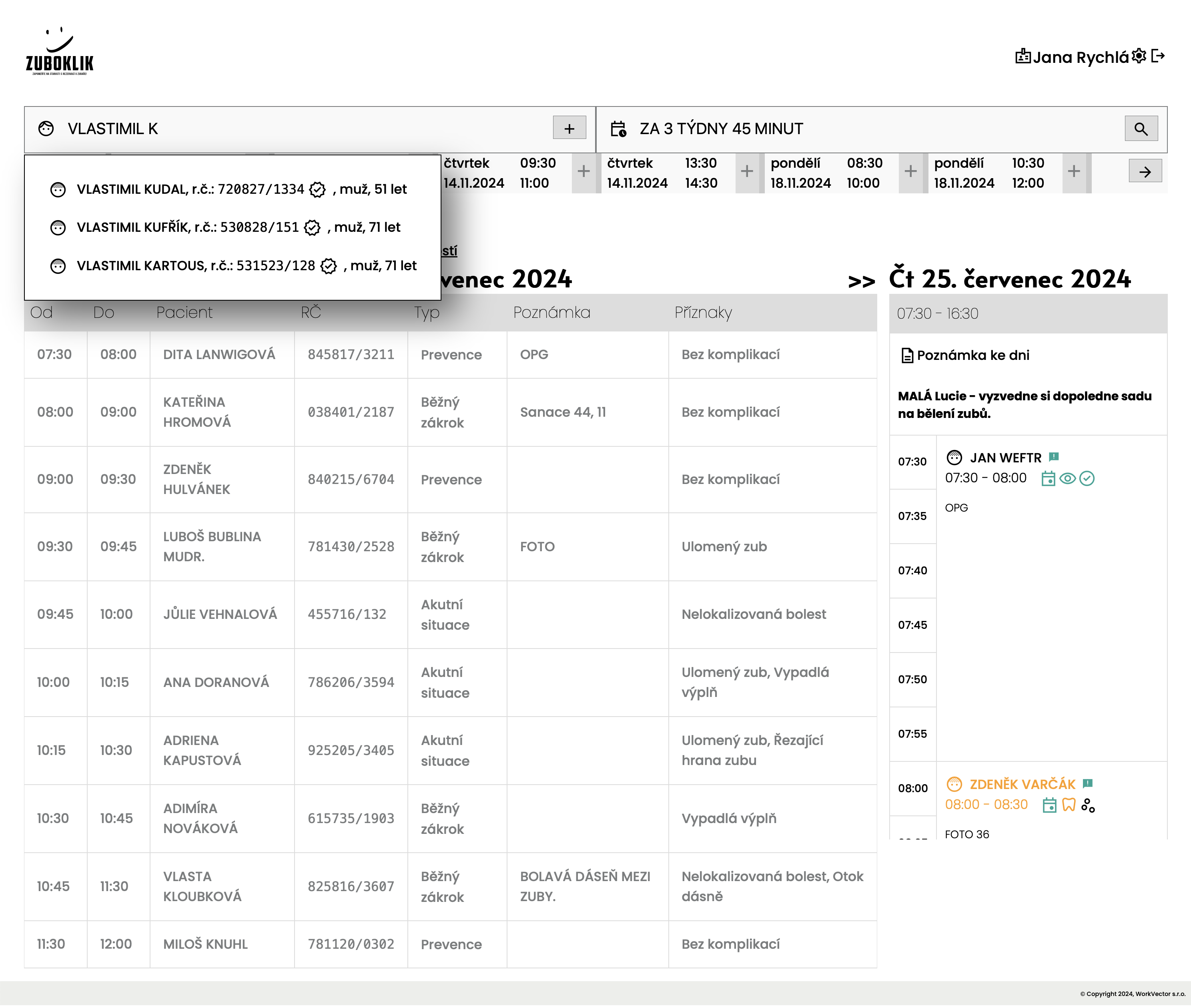
Secured data access
Doctor views specific day, nurse administers whole month, both get updates immediately. Both nurse and doctor can change any appointments. Patients change only their own appointments.
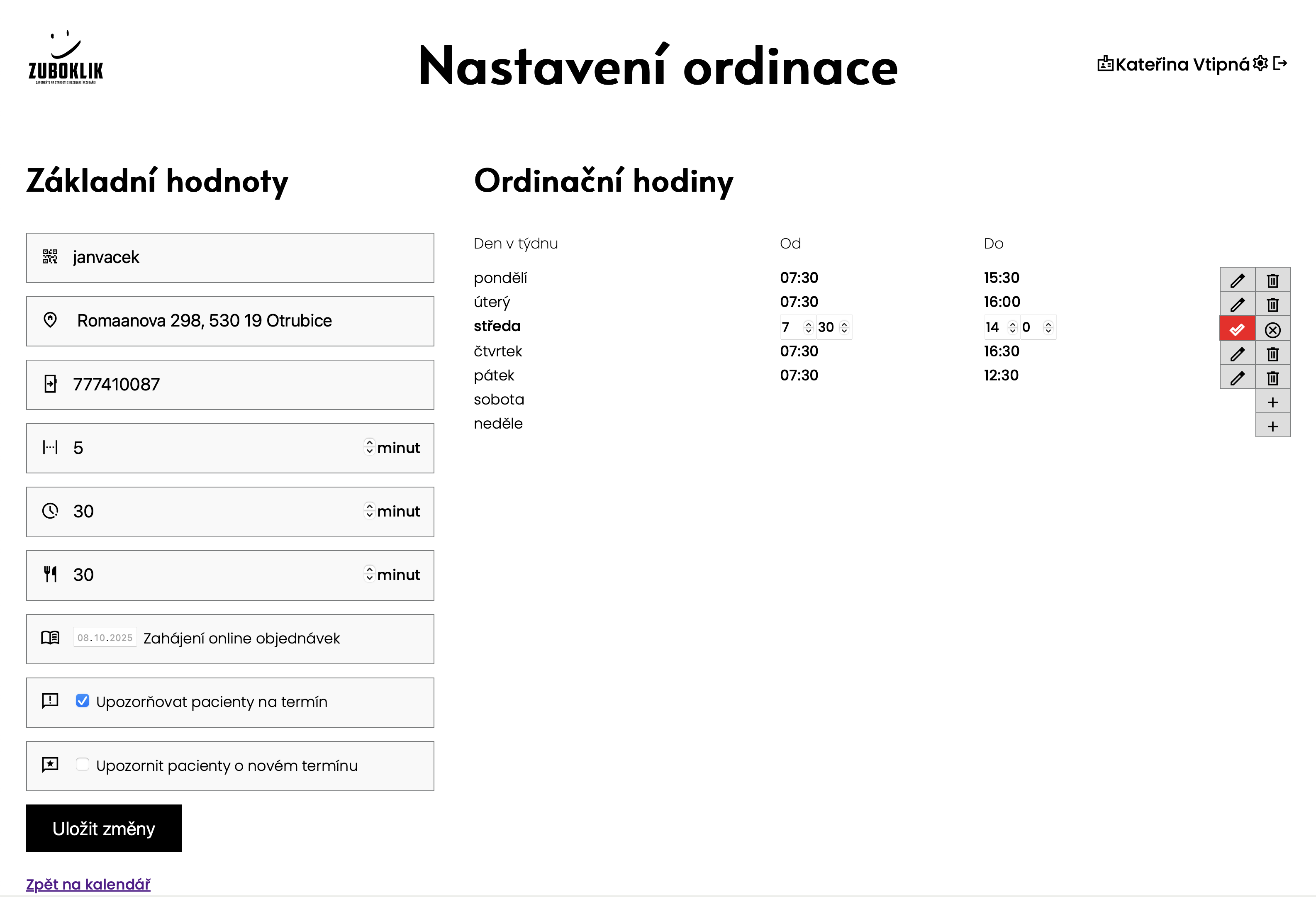
Flexible office hours
Set office hours for each day of week. Different opening times on Monday and Friday? No problem. System respects your hours and offers only appointments during opening time.
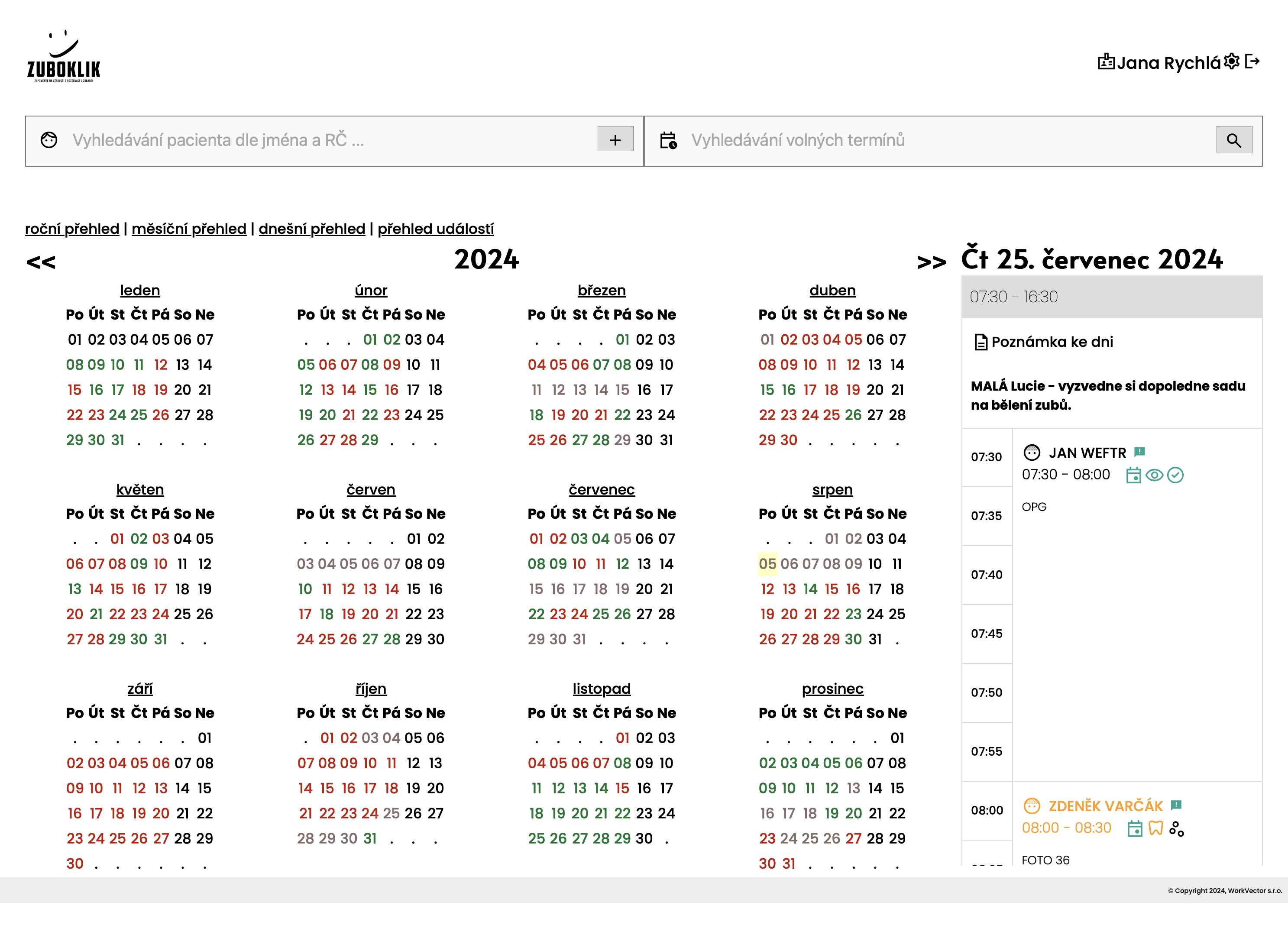
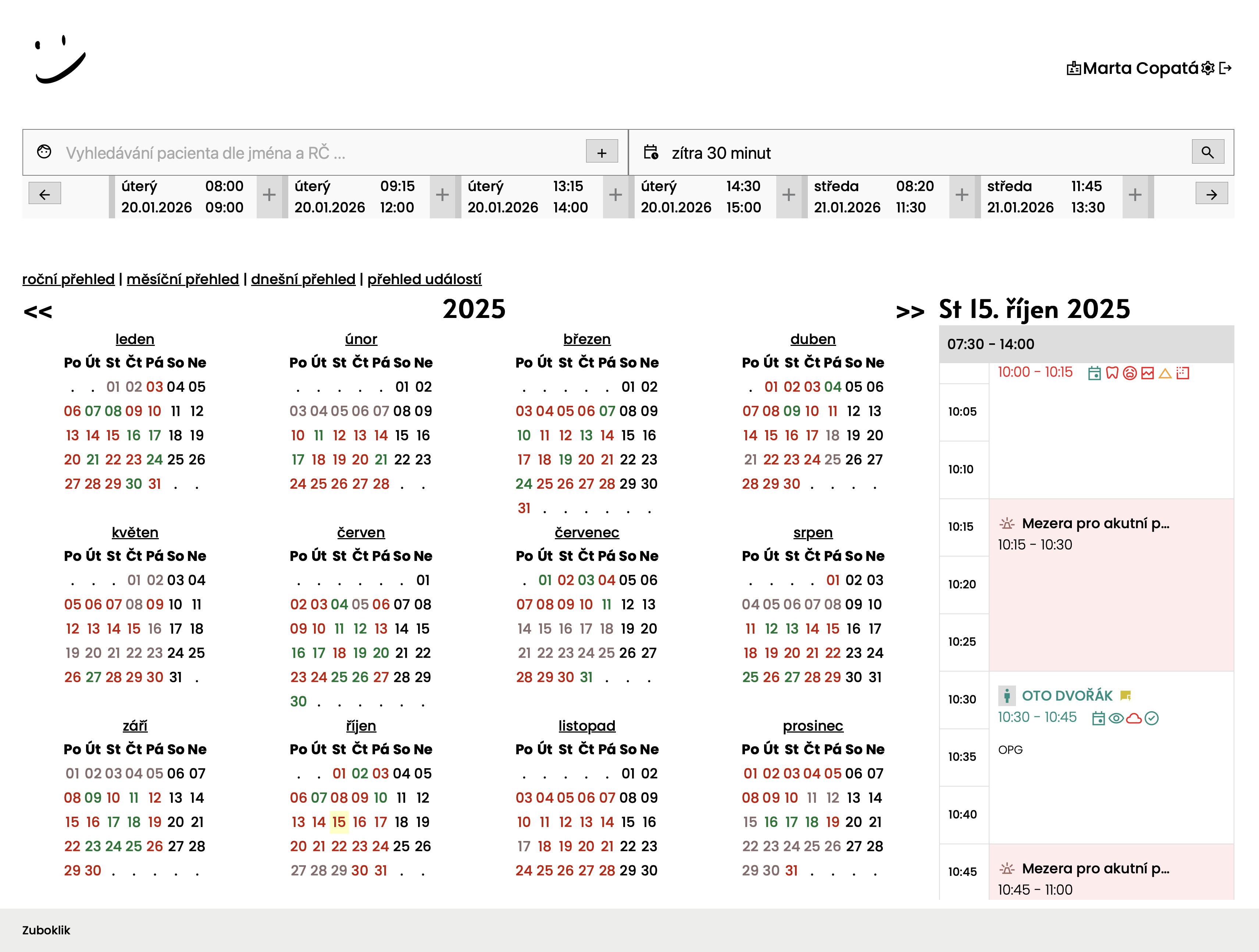
Yearly calendar overview
Whole year on one screen - 12 miniature calendars showing workload overview for each month. Quickly see where it's full and where you have free periods for vacation or maintenance.
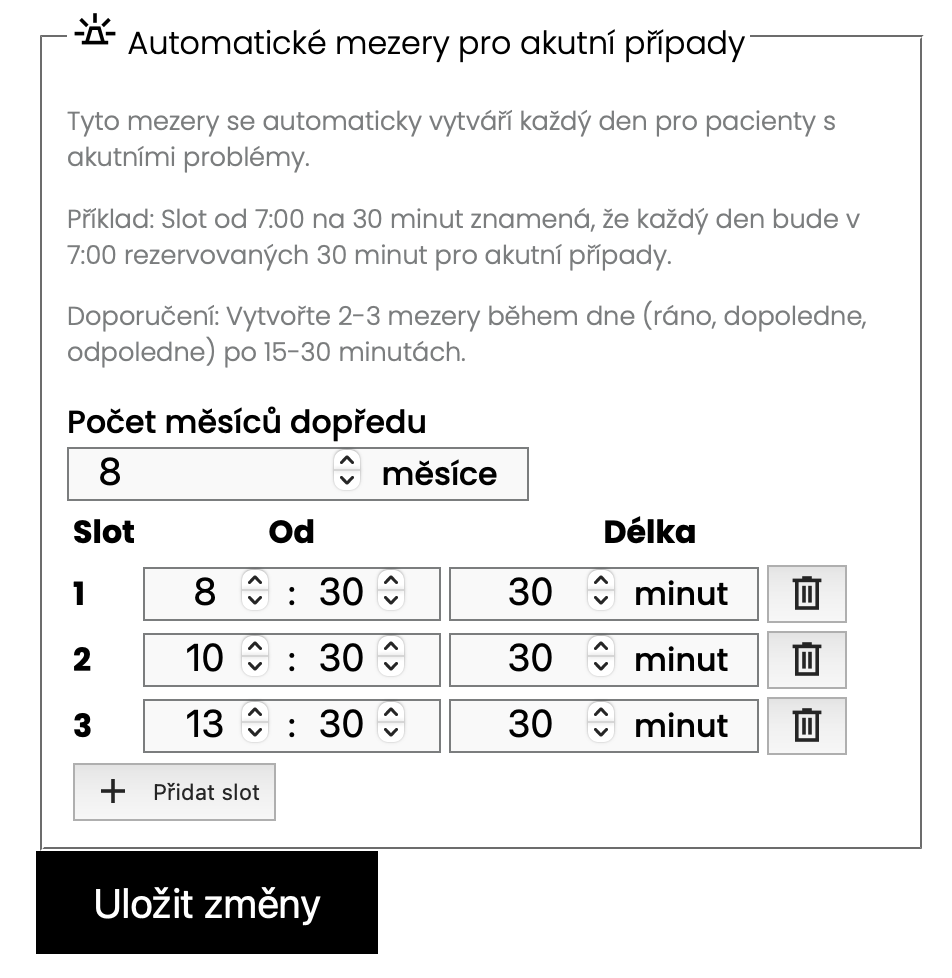
Acute gaps for urgent cases
Reserve time in your schedule specifically for urgent cases - patients with urgent pain who can't reach the practice within a few hours. Patients can find and book urgent appointment online without having to call the practice.
Automatic daily creation of acute gaps
Every morning system automatically creates acute gaps for whole day according to your settings. You define what time and how long gaps should be reserved (e.g. 8:30 for 30 minutes, 10:30 for 30 minutes, 13:30 for 30 minutes), and system creates them on its own without your intervention. Gaps are planned months ahead and system intelligently skips weekends, holidays and respects office hours.
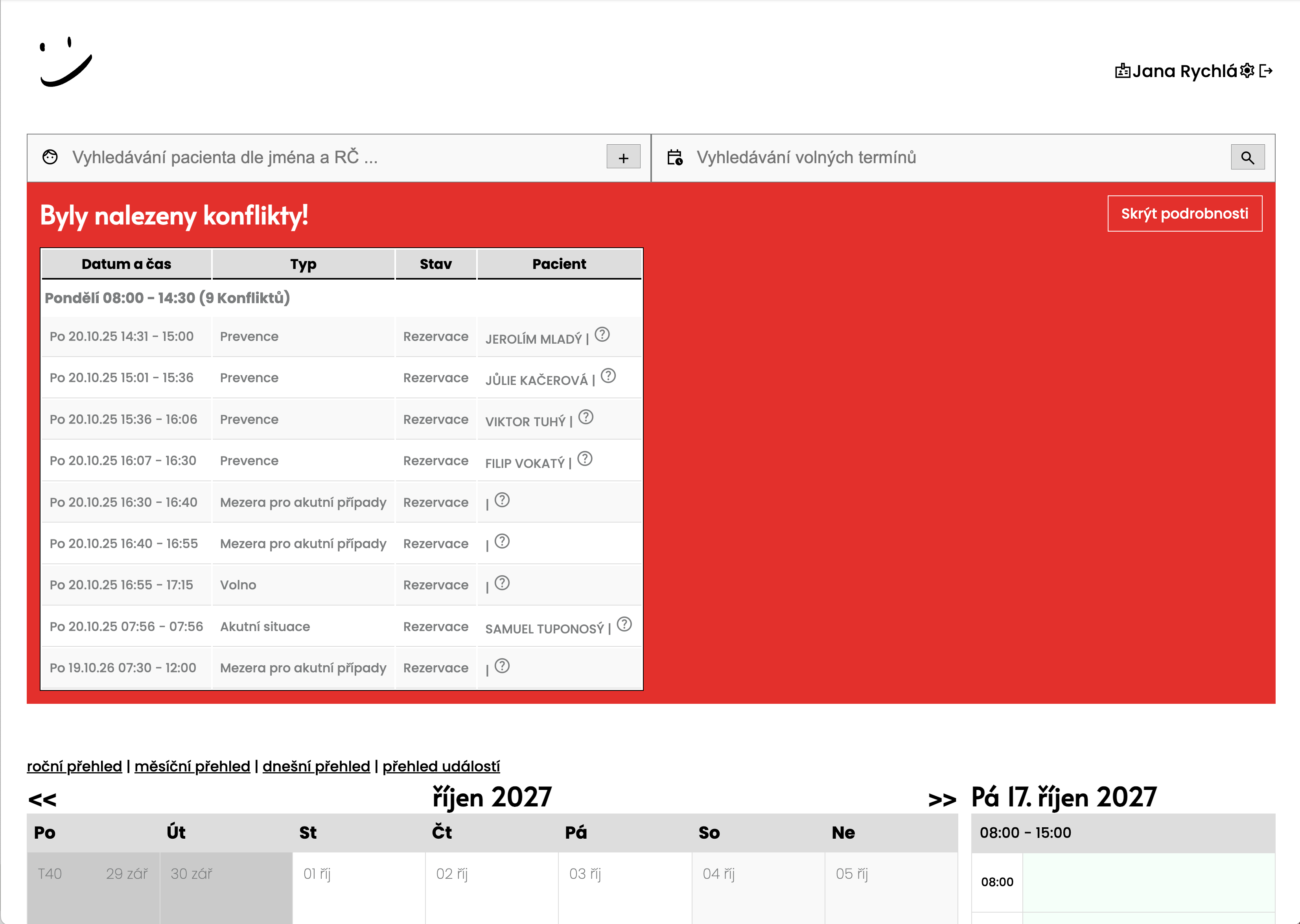
Conflict detection when changing work hours
When office hours change, system automatically finds all appointments that are now outside new time. Displays red banner with warning and list of patients that need to be rebooked. Everyone on team sees it immediately.
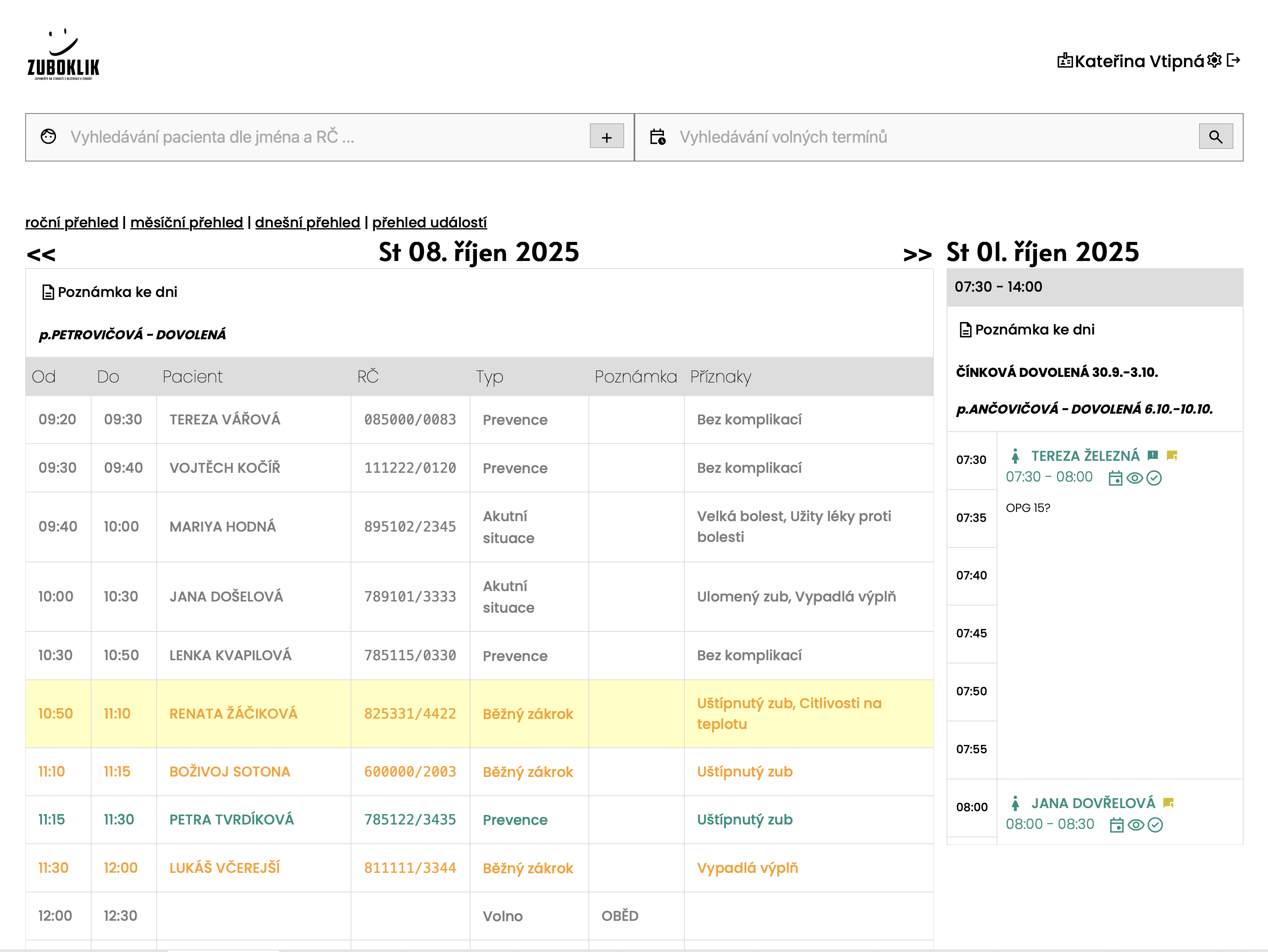
Daily overview TODAY
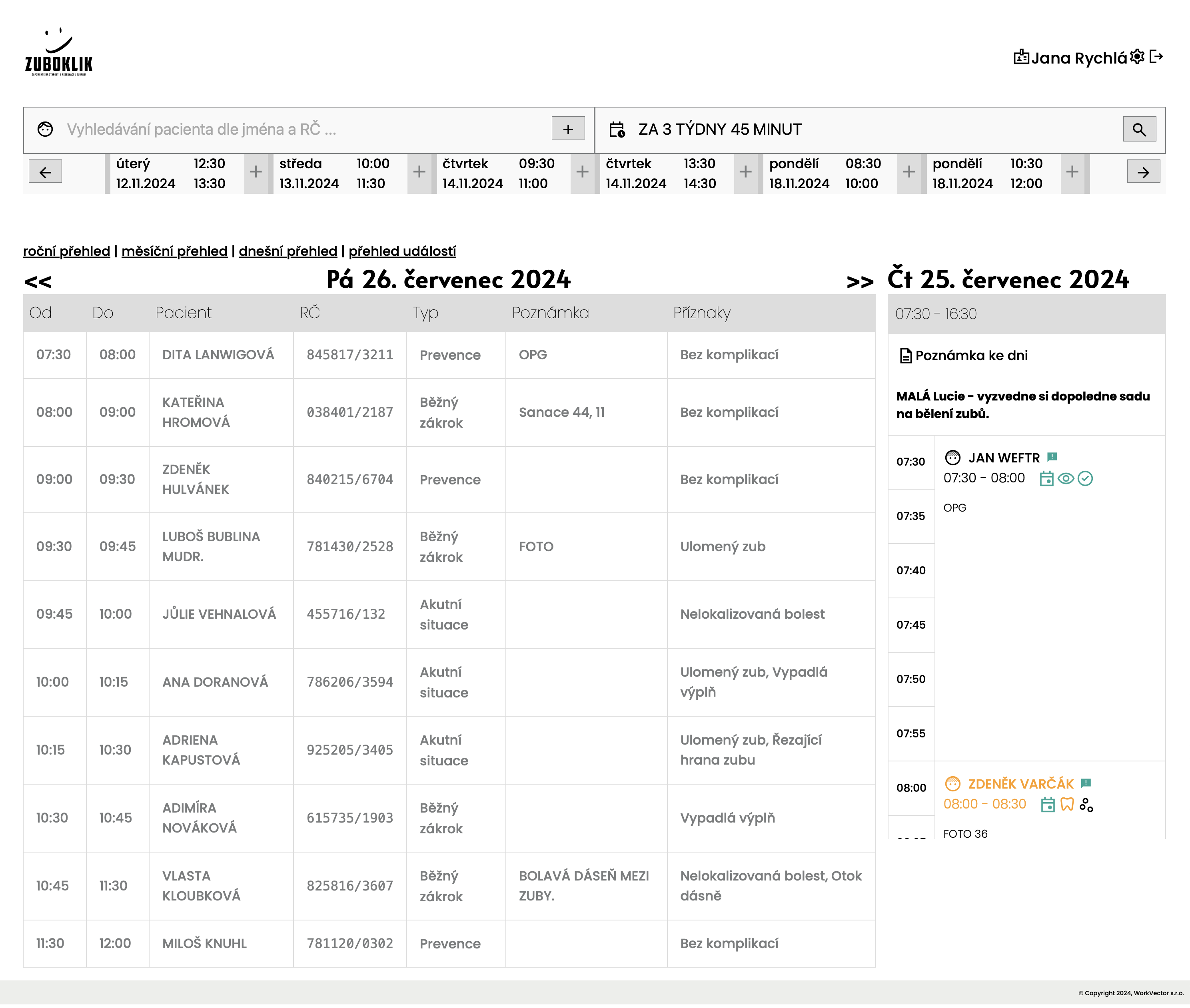
Table list of all today's appointments with automatic highlighting of current patient. Doctor sees at one glance who already was (gray), who is right now (highlighted), and who's coming (normal). Selection changes automatically as time passes. The overview also shows free slots (green) and acute gaps (red), holiday and vacation info, and you can confirm a patient's arrival or no-show with a single click from the row.
Real-time team synchronization
When nurse creates appointment, doctor sees it in calendar immediately without page refresh. Everyone in practice works with same data at exactly same moment. No page refresh needed.
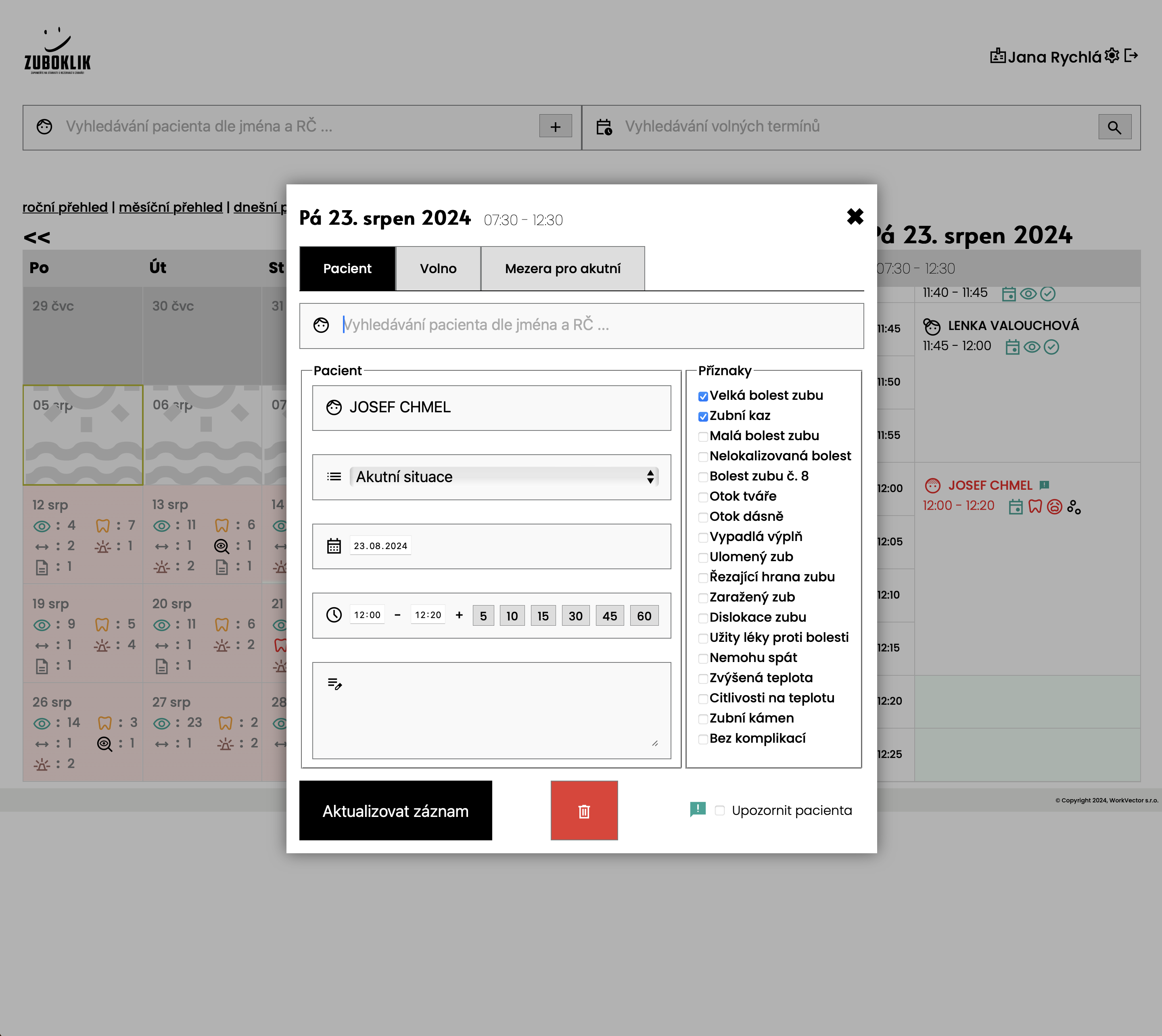
Notes for the day
Add note for the day for team (e.g. 'technician coming today'). Text can be formatted, for example highlight important information.
Reservation blocks
Reserve time for lunch, administration or practice preparation - reservation blocks take space in calendar and patients don't see them as available slots.
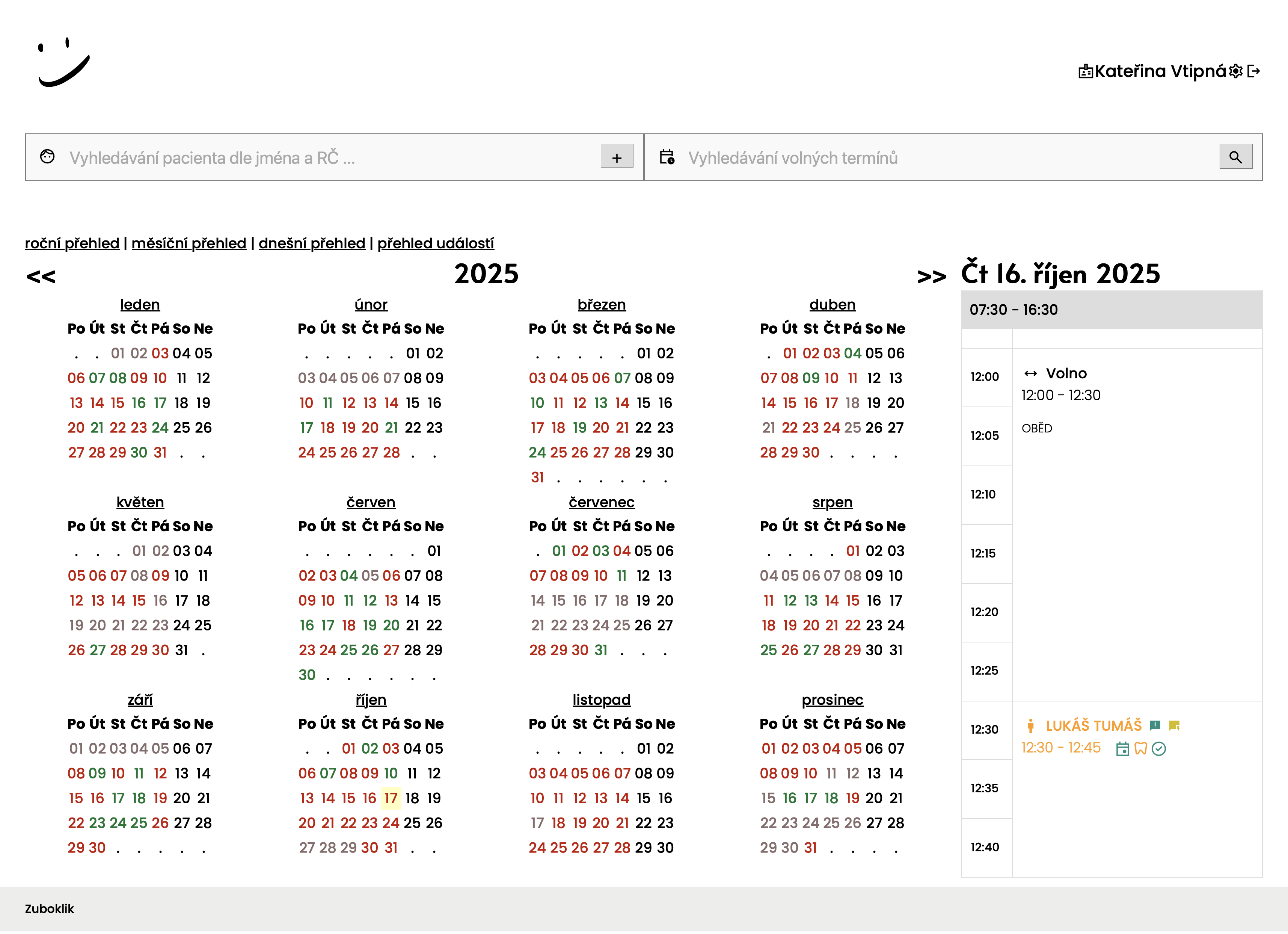
Automatic lunch break
Lunch break is automatically created for each day separately according to your configured times. Set lunch breaks for individual days of week. System will automatically create breaks for days you configure here.
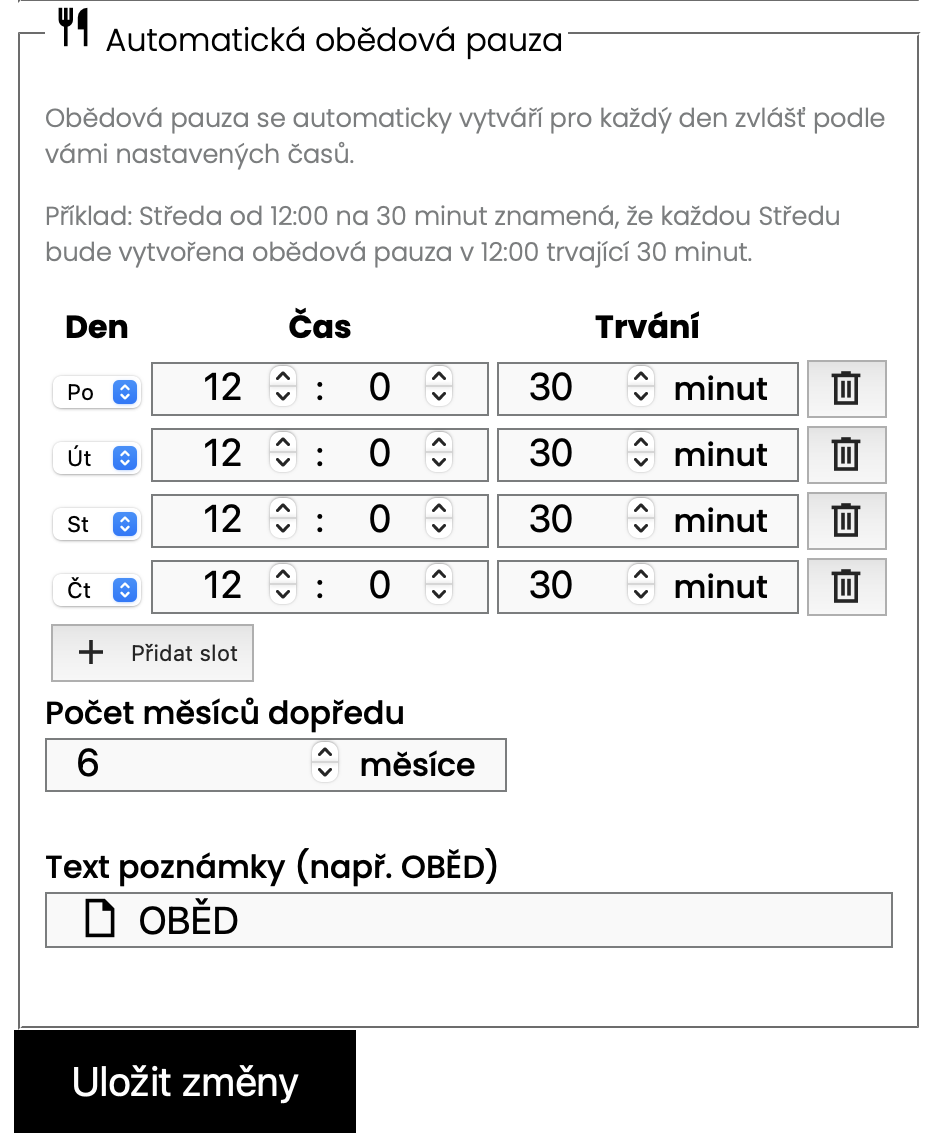
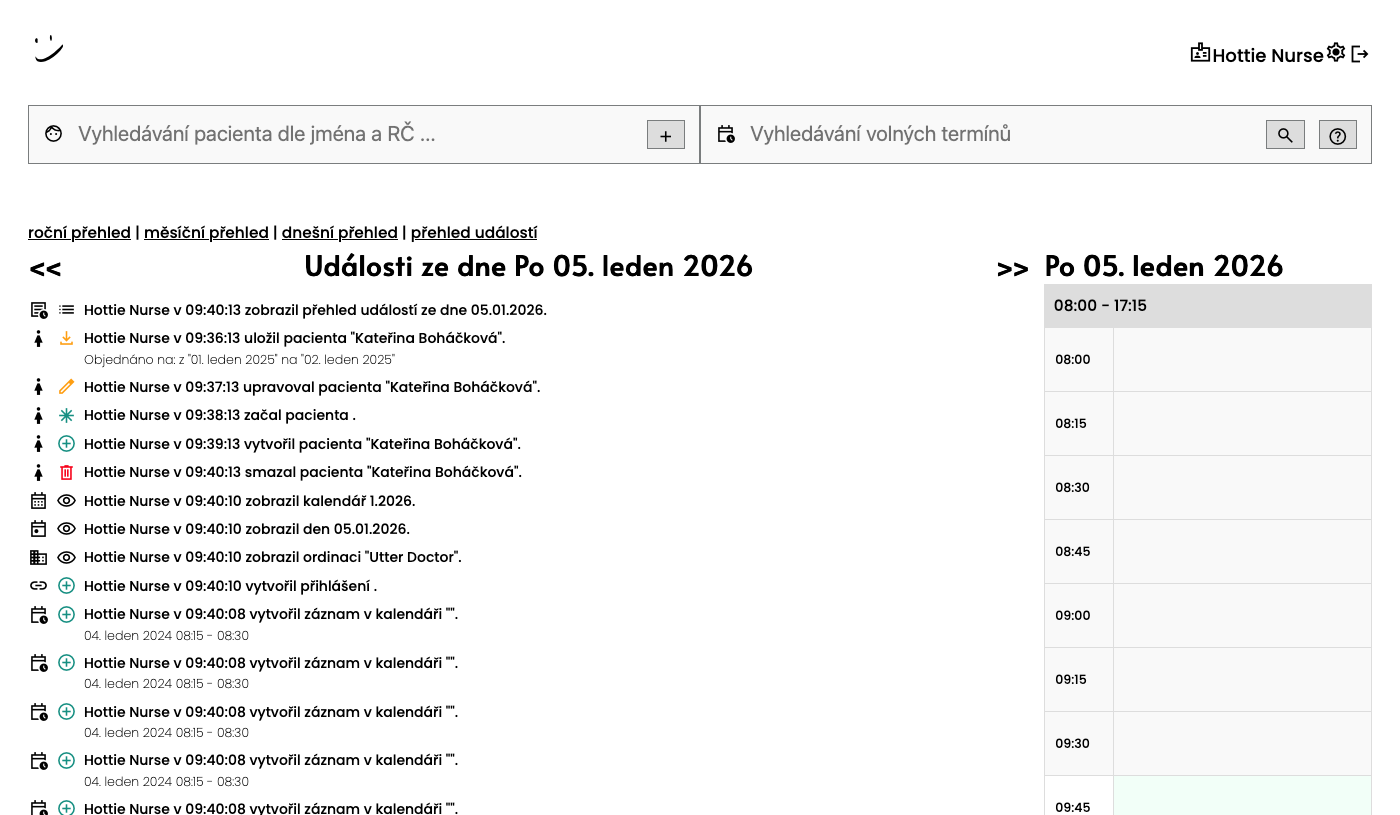
Audit log - History of all changes
Complete record of all events in system - who created appointment, who changed it, who received SMS. In disputes you have evidence. Can filter by patient and see chronological list with timestamps.
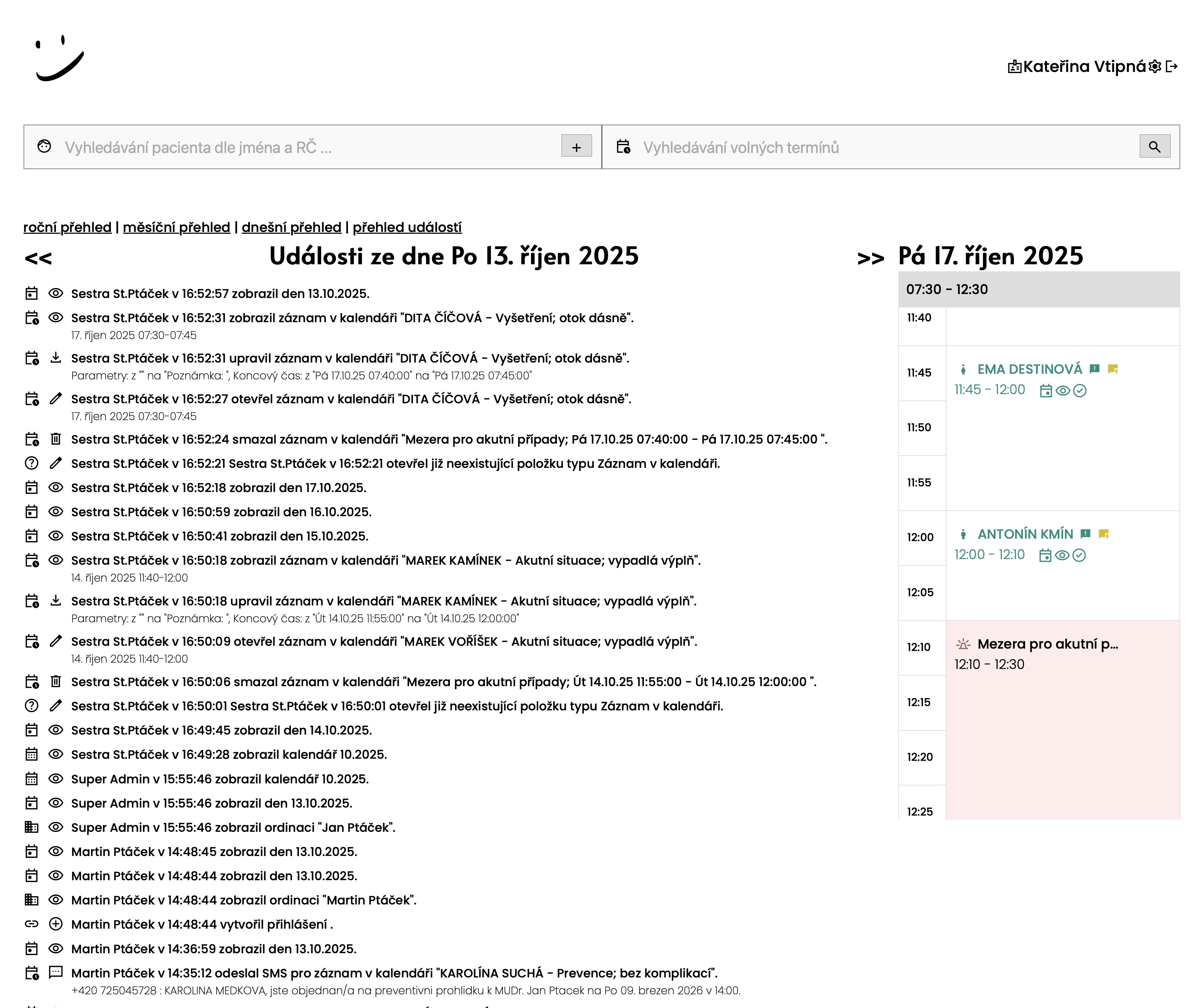
Colored icons in event history
Event history displays colored icons for faster orientation. Each event type has its color - appointment creation in green, cancellation in red, SMS in blue, changes in yellow. At first glance you see what happened.
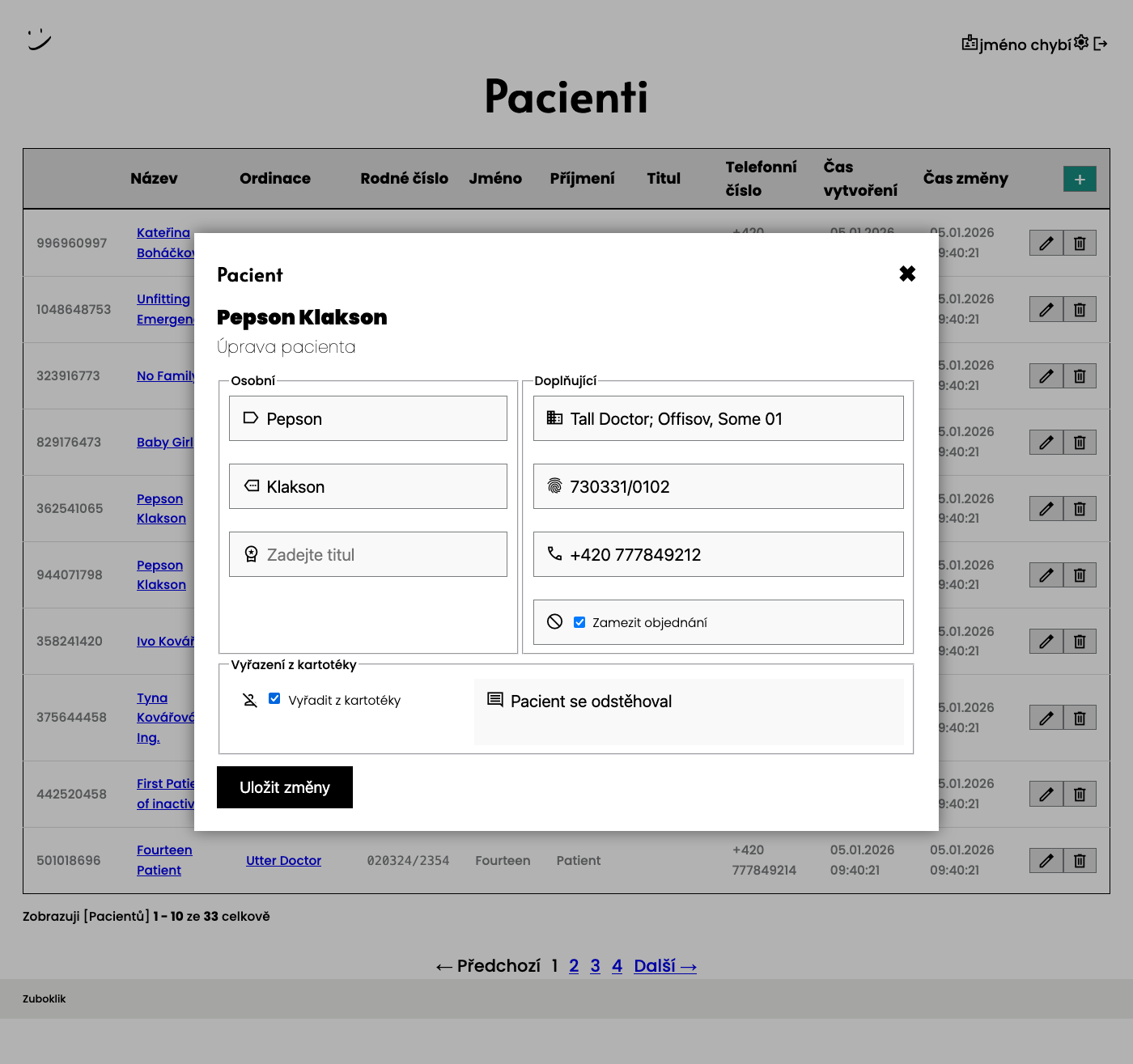
Patient deactivation
Mark inactive patients directly in patient card. You can record deactivation reason - patient moved away, changed dentist, is problematic or deceased. Deactivated patients are visually distinguished throughout system.
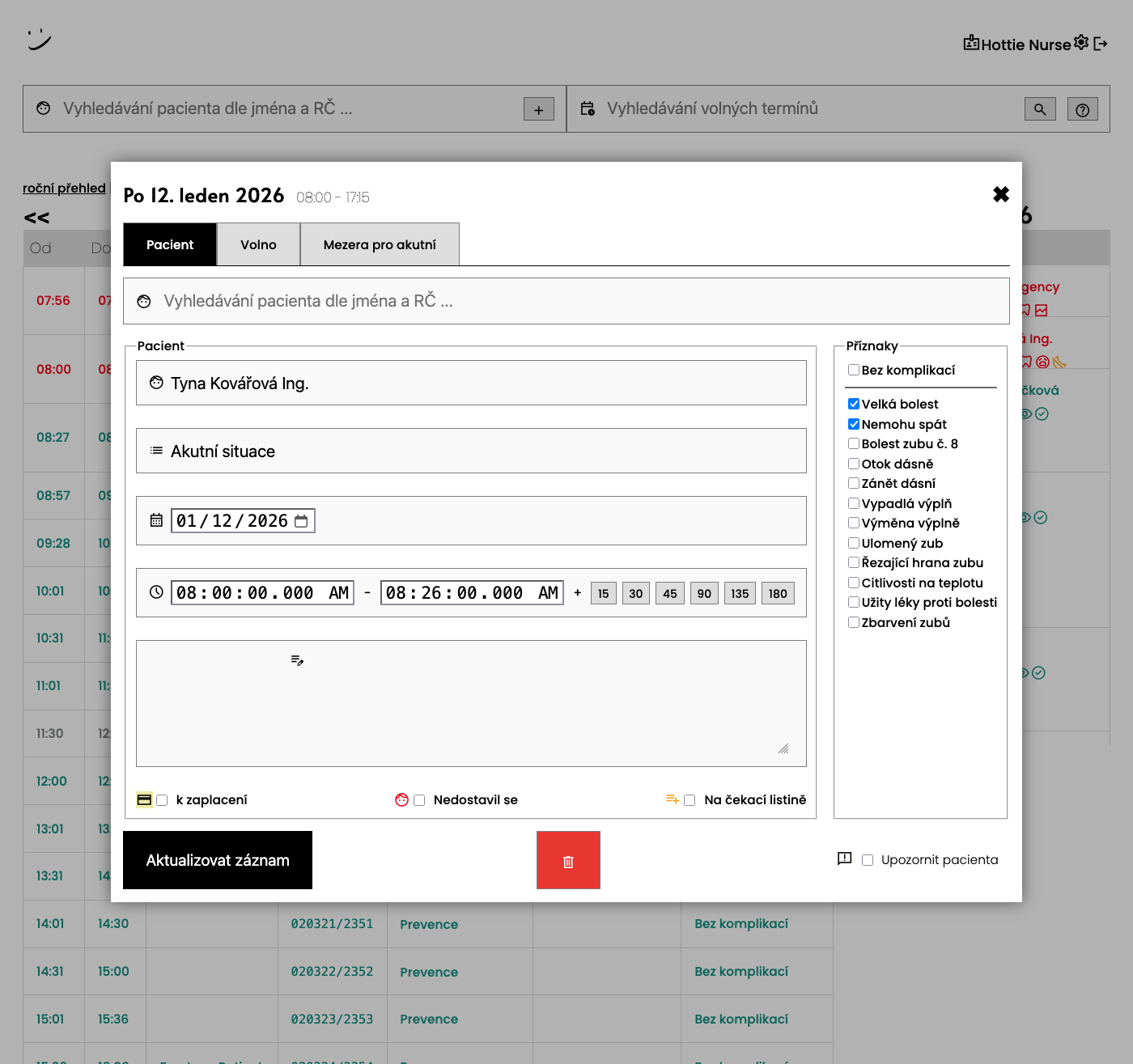
Patient arrival confirmation
For each appointment you can mark whether patient arrived or didn't show up. 'Did not show up' checkbox allows quick recording of absence. Information is displayed in history and helps identify problematic patients.
Dynamic symptom reordering
System learns from your data. Every night it automatically recalculates which symptoms practice most frequently handles in last month. Most used symptoms move to top of list - nurse has them at hand without configuring.
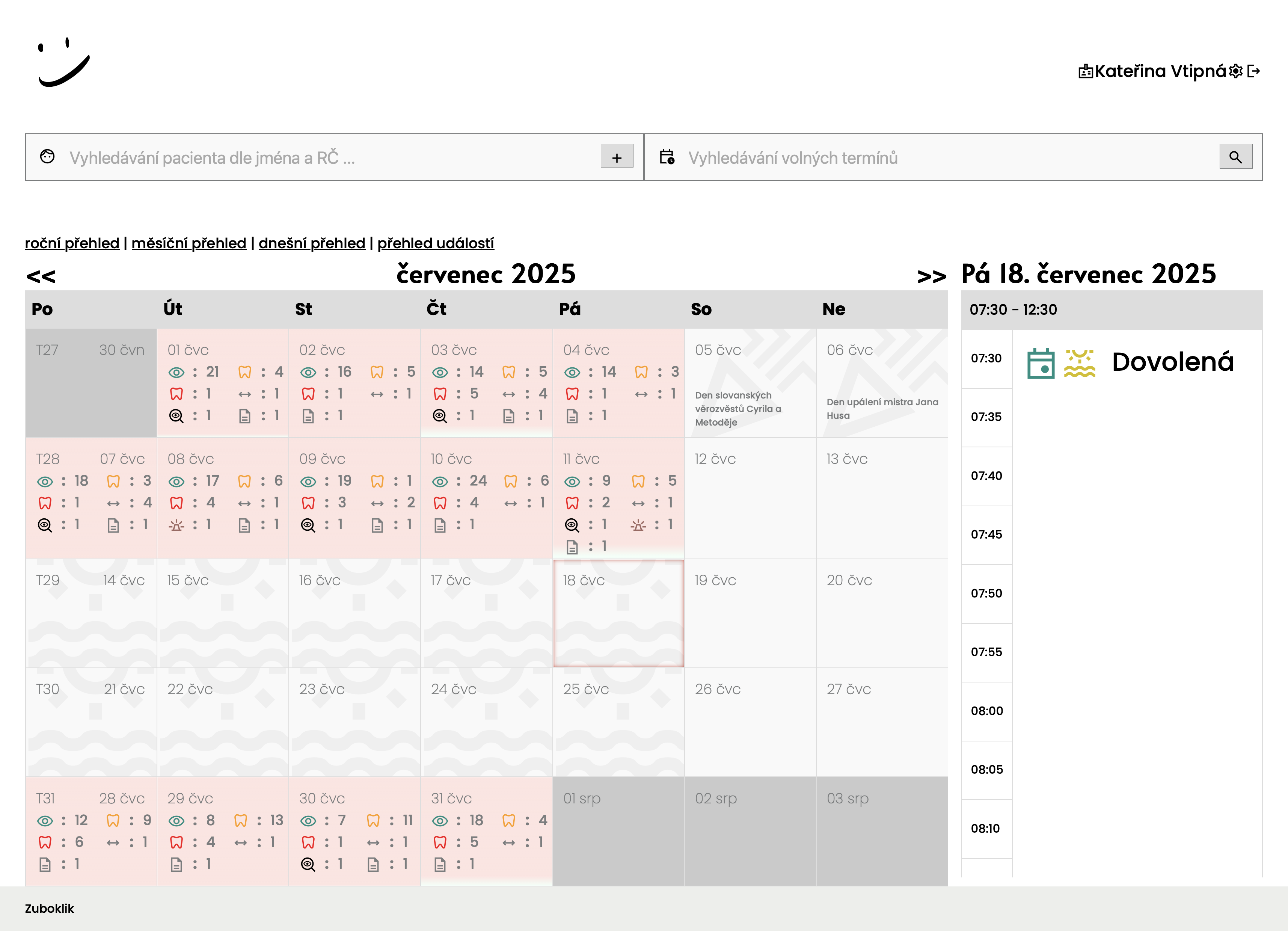
Vacations and operation suspension
Plan vacation or practice closure in calendar. System automatically blocks online booking for these periods. Patients see practice is closed and cannot book. Each day is marked with water icon.
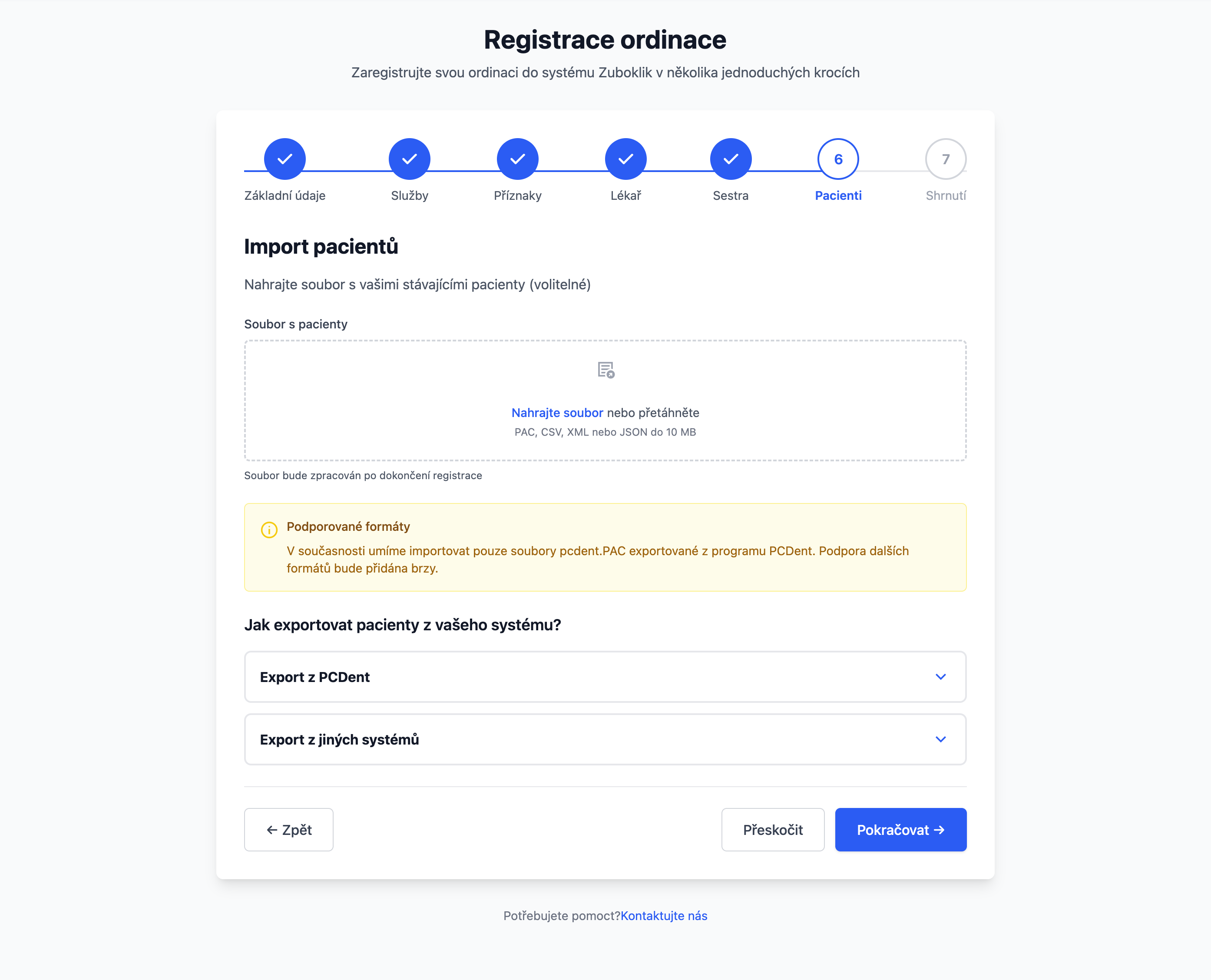
Patient import from PCDENT
Have 500 patients in PCDENT? Import them in 15 minutes instead of 15 hours of manual copying. System parses data, checks duplicates, creates patients.
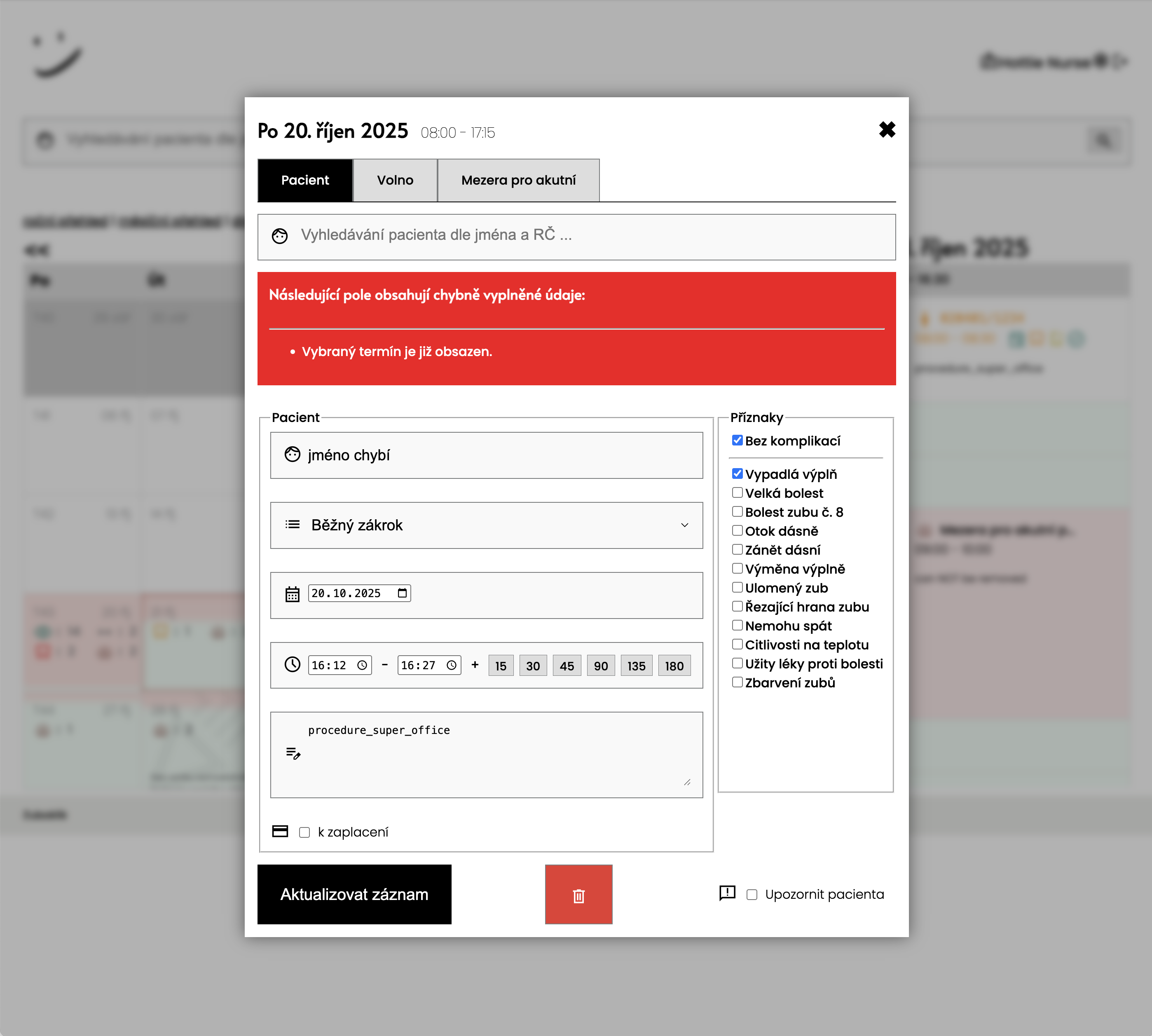
Appointment collision validation
System checks that appointment doesn't overlap with another. When trying to create conflicting appointment, error message appears. Form stays open for time adjustment. Guaranteed protection against double-booking even when multiple people book simultaneously.
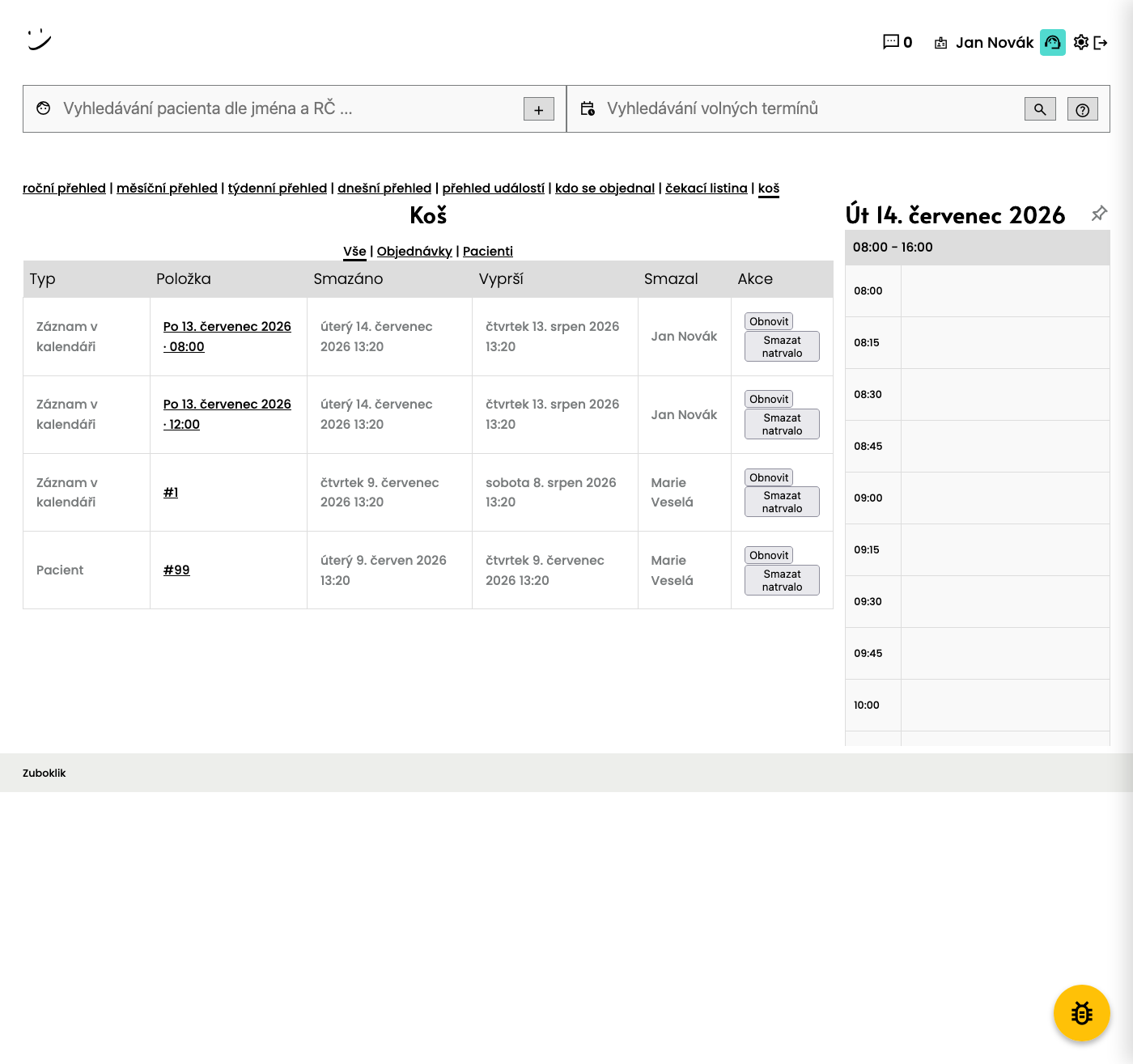
Trash (soft-delete)
Nurse accidentally deletes an appointment or a patient? Deleted records don't disappear forever — they go to the trash. Restore them with one click, set how long they are kept and the system automatically purges them every day after the retention period expires. Need to move a record elsewhere? Just cut and paste via clipboard — patient, type, note and duration all carry over to the new slot.
For Nurses - Advanced Features
Text Search for Appointments
Unique feature for fast finding suitable appointments using natural language.
Search by text in Czech
Nurse enters request in natural language: 'IN WEEK 25 MINUTES MONDAY MORNING' and system finds exactly matching appointments.
Flexible syntax
System understands different notations!
For Nurses
Less Administration, More Time for Work
Nurse can focus on work in practice instead of phone.
Fast work with entries
Nurse works with entries directly in calendar - changes visit type, moves appointments, adjusts time, adds notes to day. Interface designed from practice for maximum speed. Everything in few clicks.
Monthly view with procedure type icons
Nurse sees whole month at one glance - color-coded visit types (prevention, procedure, acute). Symptom icons directly next to patient name. Marking of full/empty days. Instant orientation in practice workload.
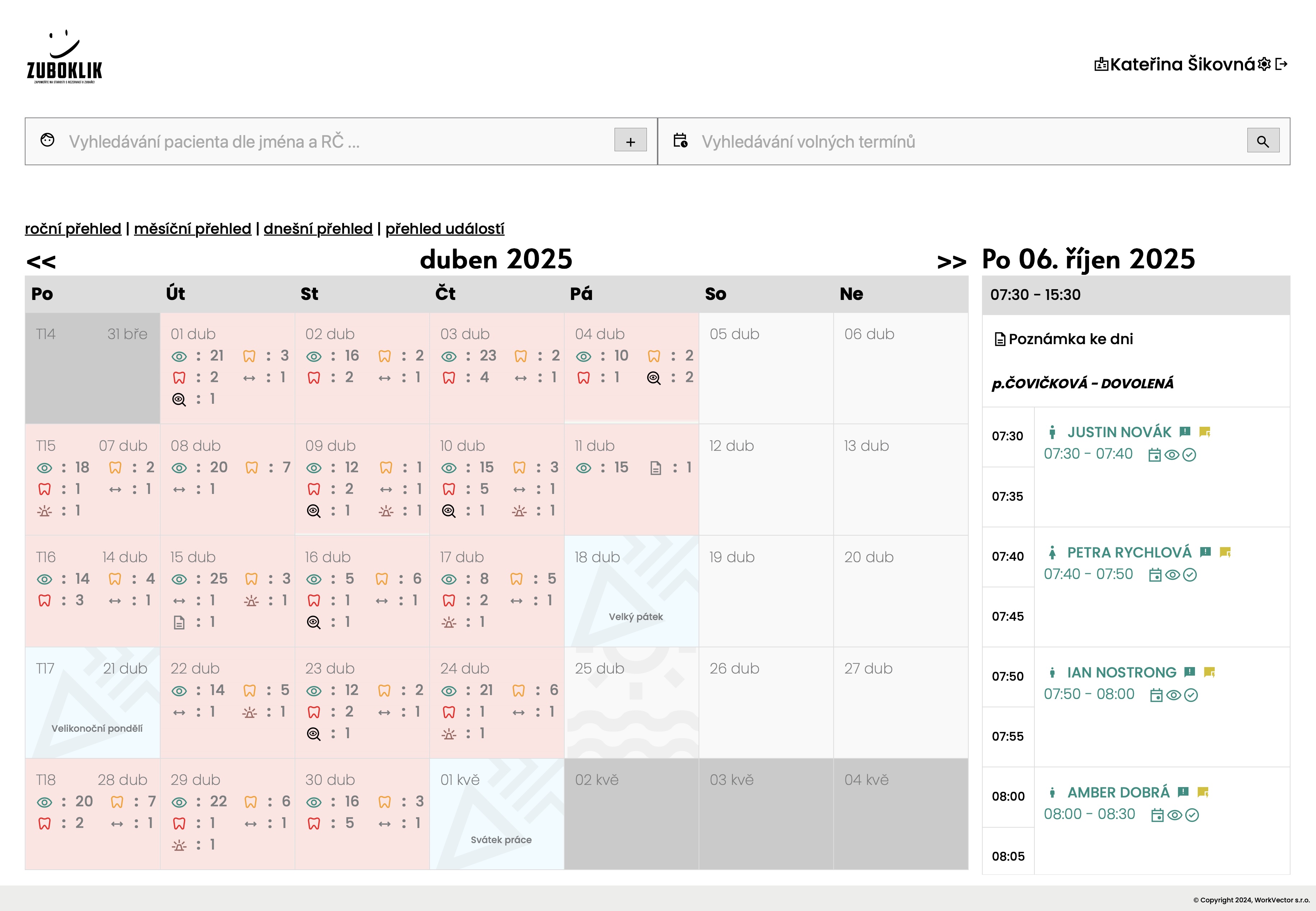
Daily view with time slots
Nurse clicks on day and sees timeline from 8:00 to closing time. Each patient is colored block with name, times, symptom icons and visit duration. Hover over name shows phone number or birth number. Day note is visible to everyone.
Patient management - search, edit, delete
Nurse manages complete patient database. Creates new records, edits data (phone, name), sends SMS. Fast search by name, PIN or birth date. Can delete inactive records (GDPR compliance). All changes are recorded in history.
For Staff
AI Assistant Right in Your Practice
Ask in Czech how to do anything in the system — no support calls, no hunting through help docs. The assistant knows Zuboklik from the inside and answers matter-of-factly.
Always at hand
Open the drawer in the header with one click anytime during work — no window switching.
Conversation history
Every question and answer is saved. You can return to a previous procedure or pick up where you left off.
Markdown answers
Clear answers with formatting — bullets, headings, emphasis. No walls of text.
Internal expert mode
The assistant answers only from Zuboklik documentation. It never invents procedures that don't exist in the system.
The assistant is for practice staff — it helps with operating Zuboklik. It is not AI diagnostics and does not communicate with patients.
Practical Use Cases
How Zuboklik works in practice
Doctor's morning preparation
Doctor arrives at work at 7:30. Opens Zuboklik dashboard and selects daily overview. Sees that today technician comes and 20 patients. First patient has prevention, second fallen filling, third acute pain. Prepares necessary material. Easy.
Fast booking with text search
Patient just finished treatment and asks for appointment next week Monday morning, 25 minutes. Nurse types 'IN WEEK 25 MINUTES MONDAY MORNING' - system immediately offers matching slots. In 10 seconds patient is booked.
Family prevention
Mrs. Nováková wants to book prevention for whole family (4 people). Logs in using birth number and PIN. Selects 'prevention' for herself, husband and two children. System offers her four appointments in a row on Thursday afternoon. Everyone is booked in 3 minutes.
Patient changes appointment
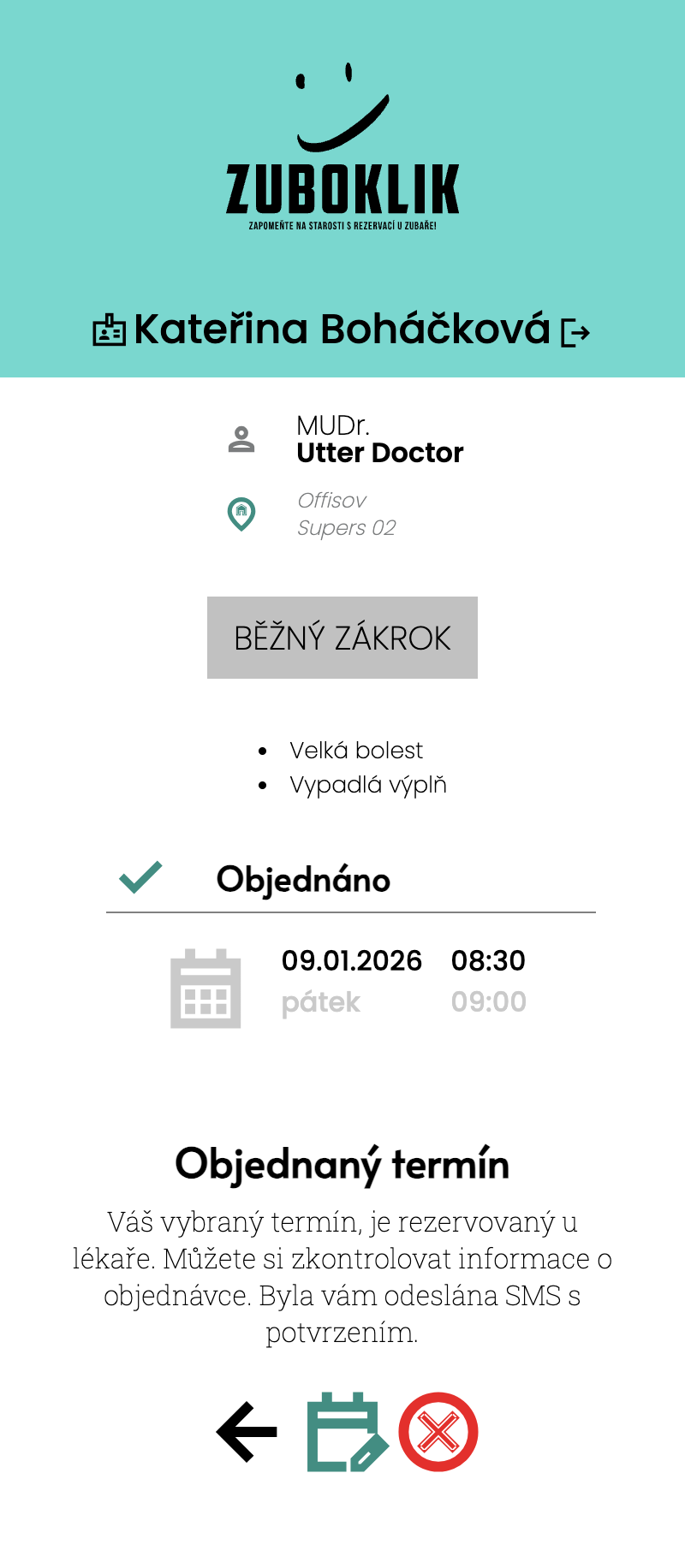
Mr. Svoboda has appointment Wednesday 14:00 but has to go to work. Opens Zuboklik - clicks 'Book appointment'. Selects his appointment. Clicks 'Move'. System offers other free appointments. Selects Thursday 16:00. Done. Nurse didn't have to solve anything.
New patient in practice
New patient arrives without appointment. Nurse adds them to system - enters name, birth number, phone. Patient is in database. Next time they can book themselves online. Just enter birth number and get SMS PIN.
Try All Features Free
30 days without limits, no credit card
Questions About Features
Answers to most common questions
They don't have to. Each patient receives their own dental number (in the format #123456789) upon registration, which works as a full alternative to a birth number. Dental numbers are especially useful for foreigners who don't have a Czech birth number, and for patients who feel uneasy about entering their birth number online. Logging in with a dental number is just as simple and secure as with a birth number - and you can also use biometric login (Face ID / Touch ID) without typing anything.
No. Zuboklik does NOT replace your practice management software — it runs alongside it and handles booking only. Import patients in 15 minutes from PCDENT, XML, JSON or CSV. Your existing system stays the main tool for medical records.
You can choose from our predefined symptoms (we have over 20) and set your own rules for time calculation with support. Adding completely new symptoms is possible after contacting support. So if you have an idea, we're happy to listen to feedback.
Nurse enters request in natural Czech language, for example 'IN WEEK 25 MINUTES MONDAY MORNING' or 'TOMORROW 30 MINUTES AFTERNOON'. System immediately finds all matching appointments. It speeds up patient checkout after procedure.
Yes. You can set which symptoms are available for practice and which are not. For example remove procedures related to dental hygiene.
System is designed for one doctor with one or more nurses who share common practice calendar. Everyone sees same data and appointments.
System automatically displays freed appointment as available. Waitlisted patients receive an SMS offer and can accept the appointment directly from the link. Nurse and doctor manage the waitlist in a dedicated tab and SMS notification timing is configurable.
Import from XML, JSON or CSV takes few minutes depending on number of patients. However, if data format is unknown, technical department must arrange its decoding and subsequent import. In this case import can take several days.
Zuboklik specializes in booking. Interactive integration with practice management systems is not available yet, but you can import patients in minutes and Zuboklik runs alongside your existing software without disruptive migration.
The AI assistant in the header drawer helps with operating Zuboklik — it answers in Czech to questions like 'how do I book a paid procedure' or 'how do I find a free slot tomorrow'. It answers only from internal documentation, so it never invents procedures that don't exist in the system. It is not AI diagnostics and does not communicate with patients — strictly an internal helper for practice staff.
Zuboklik runs alongside your software
It does not replace Xdent, Dent21 or PC DENT. It handles booking only and you can import patients in 15 minutes.
Alongside practice software
Zuboklik does NOT replace your existing system. It runs alongside it, handles booking only and you transfer patients in 15 minutes.
SMS gateway
Sending SMS notifications through Czech SMS gateway. SMS are charged separately at 1.20 CZK. Live SMS count in the header – always know how many messages remain and how fast the credit is being spent.
Patient import
Import from PCDENT, XML, JSON, CSV. Fast upload of existing patient database.
Bug report button
Report a bug straight from the app – the button automatically attaches the current screen as a screenshot. Our team gets full context and responds faster. A quality-of-support argument you can count on.
Security Technical Details
For those who want certainty about data security
Multi-tenant architecture
Each practice has own subdomain (zuboklik.cz/oto_novak). Data is strictly separated. No practice sees another practice's data.
Data encryption
Sensitive data (birth numbers, health information) is encrypted in database. We use AES-256 encryption.
GDPR compliant
Full GDPR support. Patients can request data deletion. Audit log of all access to sensitive data. Servers in EU.
Backup and availability
99.9% uptime. Automatic backups every 6 hours. Redundant servers. Monitoring 24/7.