Before you start
What changes in your surgery in the first week
Seven days from signing up to a surgery where patients book themselves.
What you doGo through the wizard and tell patients where to book.
Runs alongside XDENT, Dent21 and PC DENT
Pick the situation. We'll show you how Zuboklik solves it, on real screens.
Features shown: 41
Before you start
Seven days from signing up to a surgery where patients book themselves.
What you doGo through the wizard and tell patients where to book.
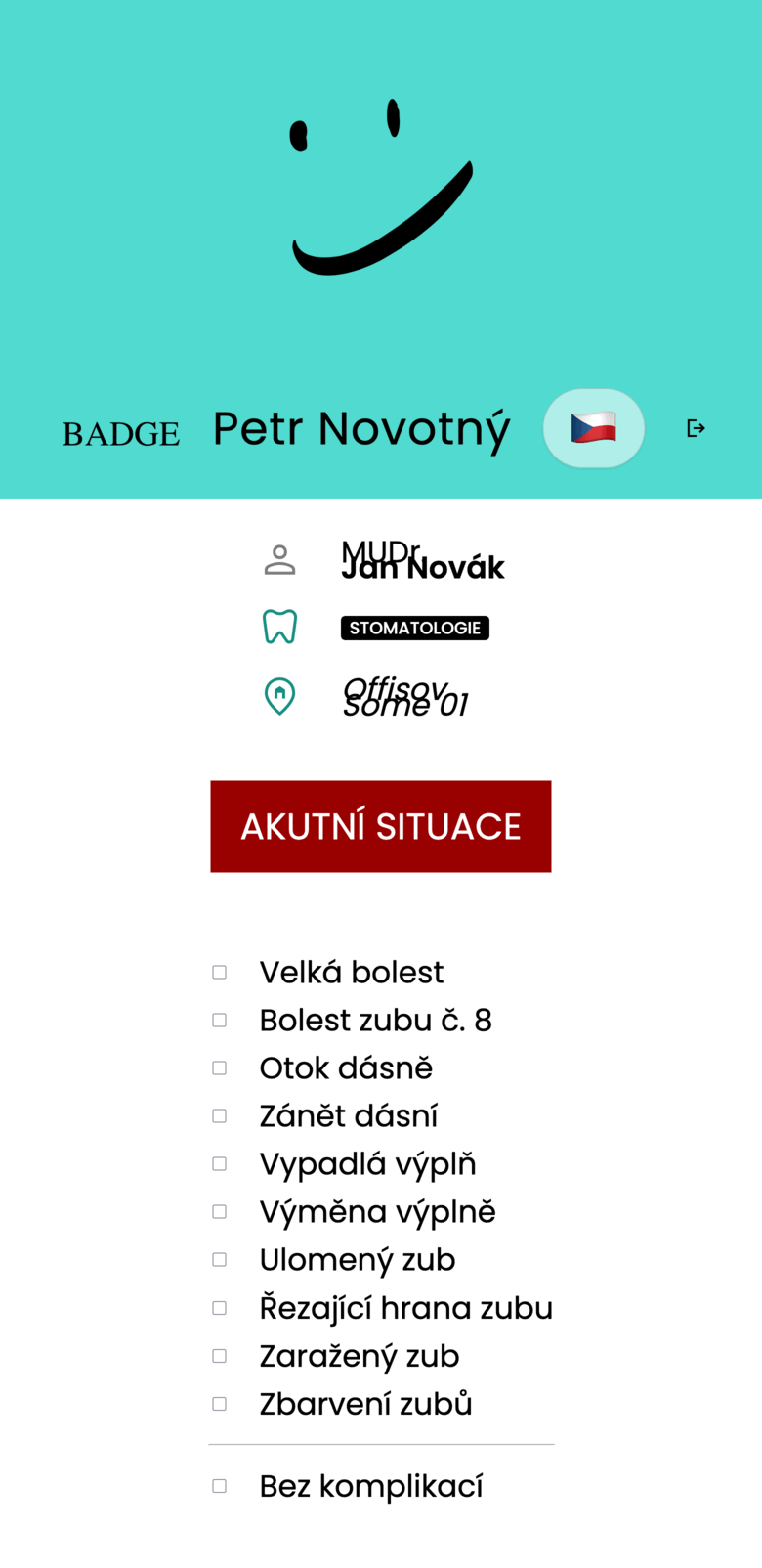
Today: everyone gets the same 20 minutes
The patient picks what is bothering them and is offered only the slots the treatment actually fits into.
What you doSet the treatment lengths once; they then hold for everyone.

Today: paging through the calendar while the patient waits
Word search finds every free appointment that fits, while the patient is still standing at the desk.
What you doNothing, the nurse types the way she speaks.
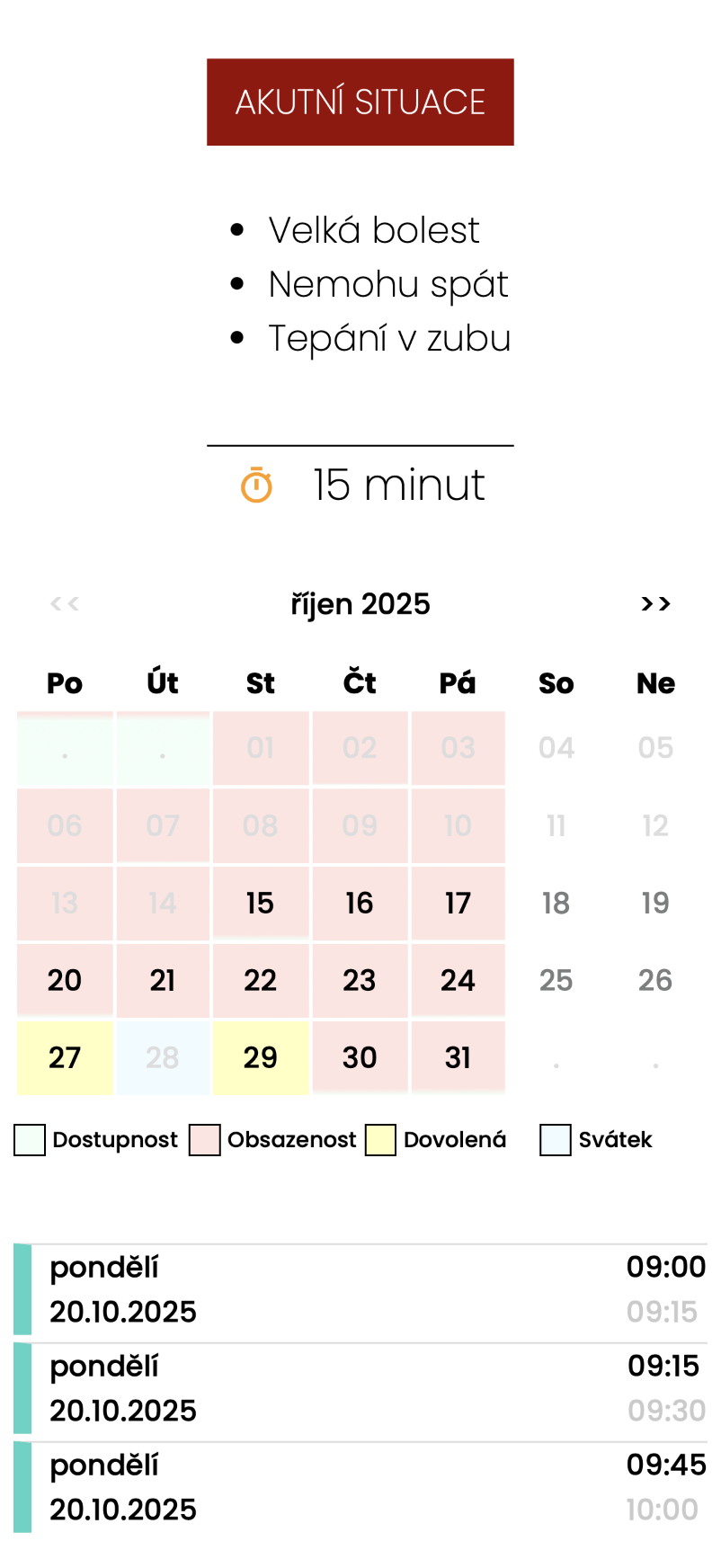
Today: pain throws off the whole day
Gaps for acute cases are created every day on their own. If nobody takes them, they are released to everyone else.
What you doSet once how many you want and at what hours.
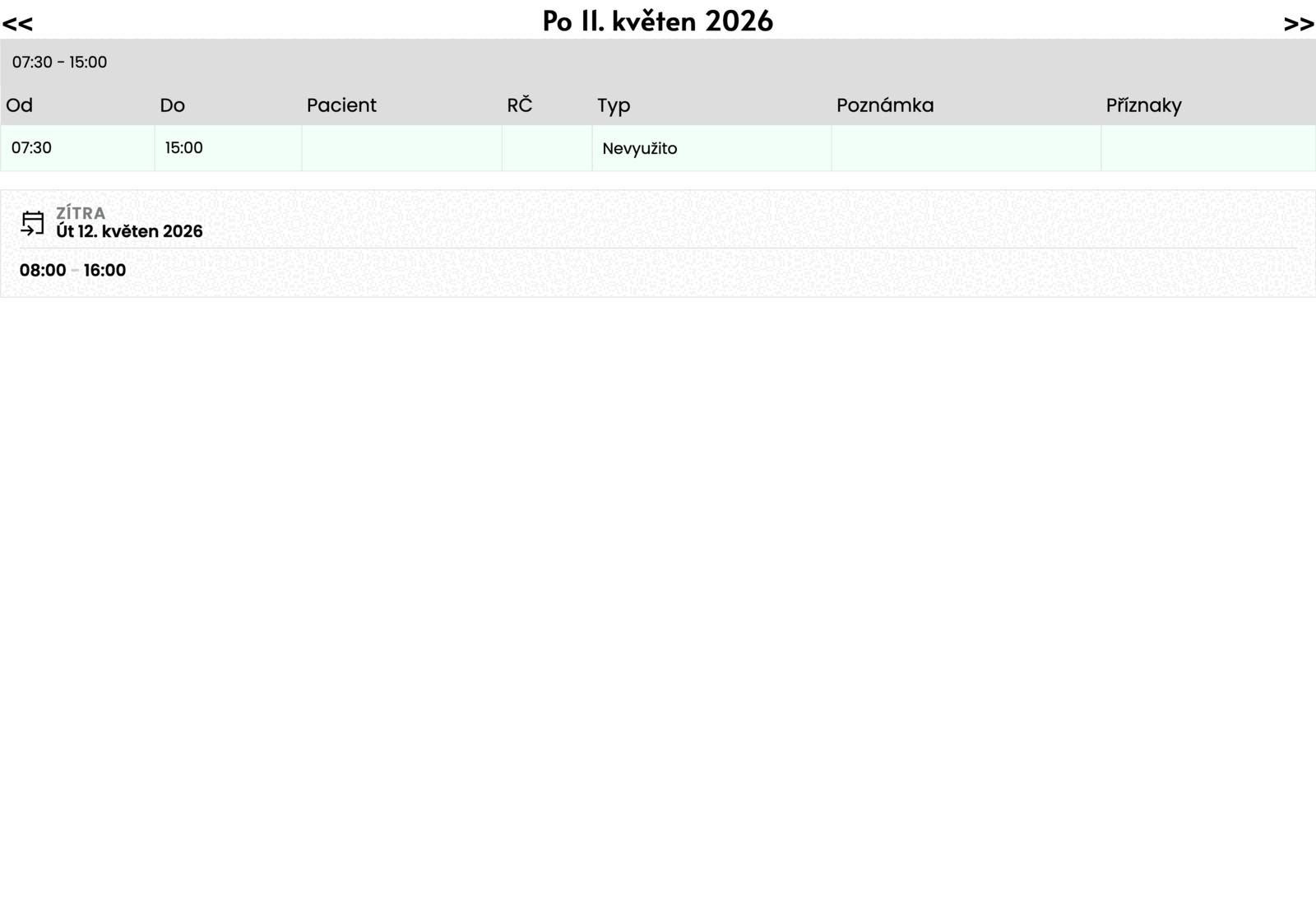
Today: “Nurse, who have we got in?”
The day overview shows who is coming, for how long and what to prepare. Tomorrow sits right below it.
What you doNothing.
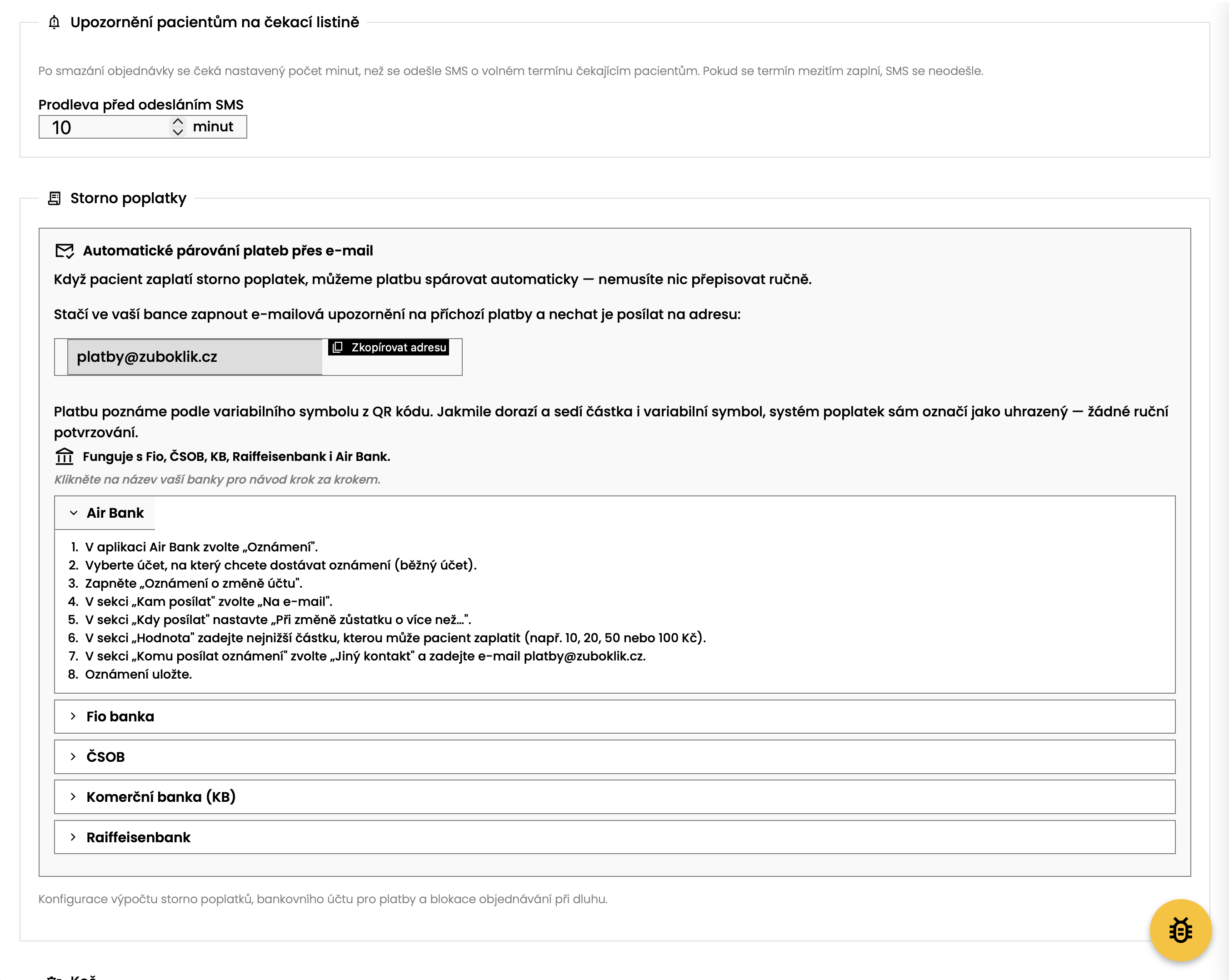
Today: an empty chair nobody pays for
Anyone who does not turn up without notice gets an SMS with a QR payment they agreed to when booking. Switch it on only if you want it.
What you doSwitch it on and set the amount.
Today: “You can only book by phone”
The surgery gets its own address and a QR code. Put the link on your site and in your Google profile, print the code for the waiting room.
What you doPut the link where your patients look for you.
Worry: “Patients will wreck my calendar”
Only a patient in your records can book online. You decide what is offered and how far ahead.
What you doA few switches in the settings.
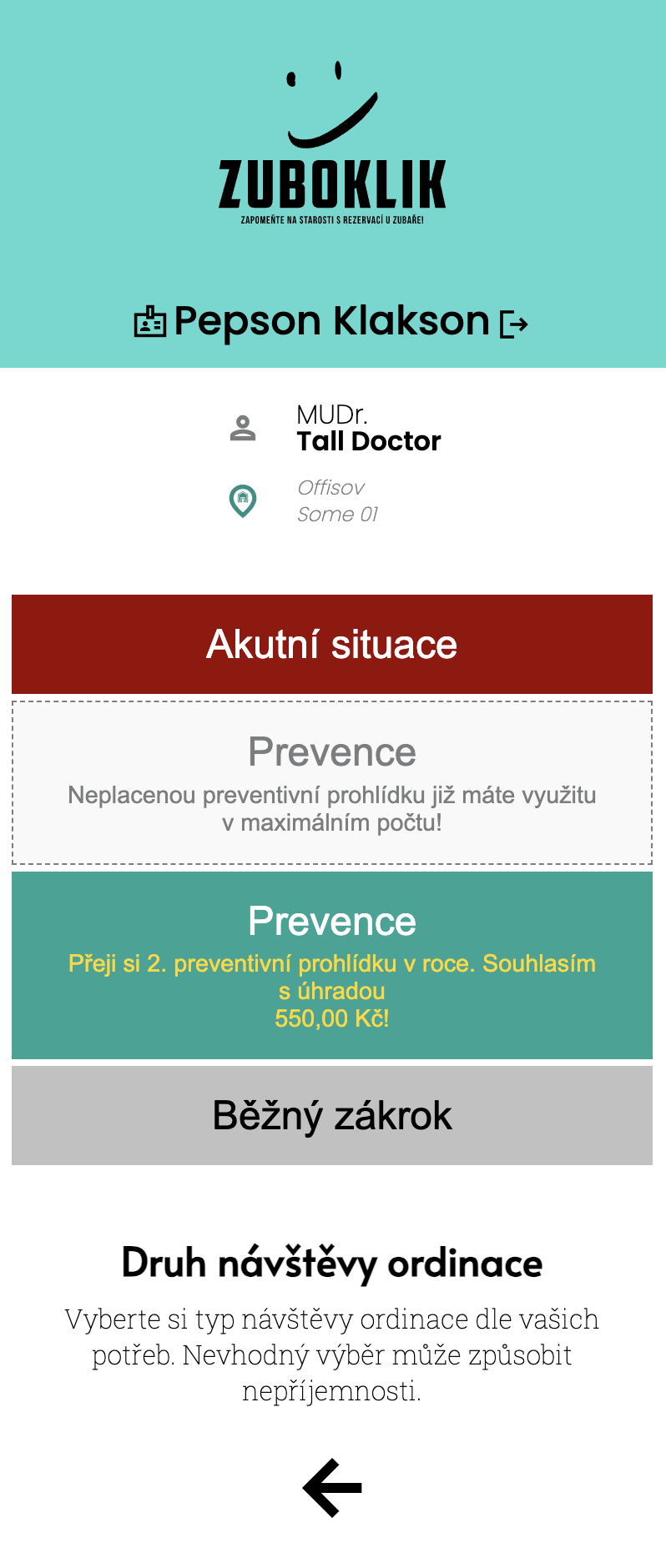
Today: explaining the charge in the chair
The patient sees it while booking, so they know the price before they sit down.
What you doSet the cover rule once.
Today: dictating an account number down the phone
The QR code opens their banking app with the amount and the reference already filled in.
What you doNothing.
Today: going through the statement line by line
Zuboklik reads bank notices and marks the fee paid from the payment reference.
What you doSet your bank to forward its notices.
Today: an unpaid fee and a new online booking at once
Until it is paid or waived, online booking is suspended; by phone and in person nothing changes.
What you doNothing, the suspension and its release run on their own.
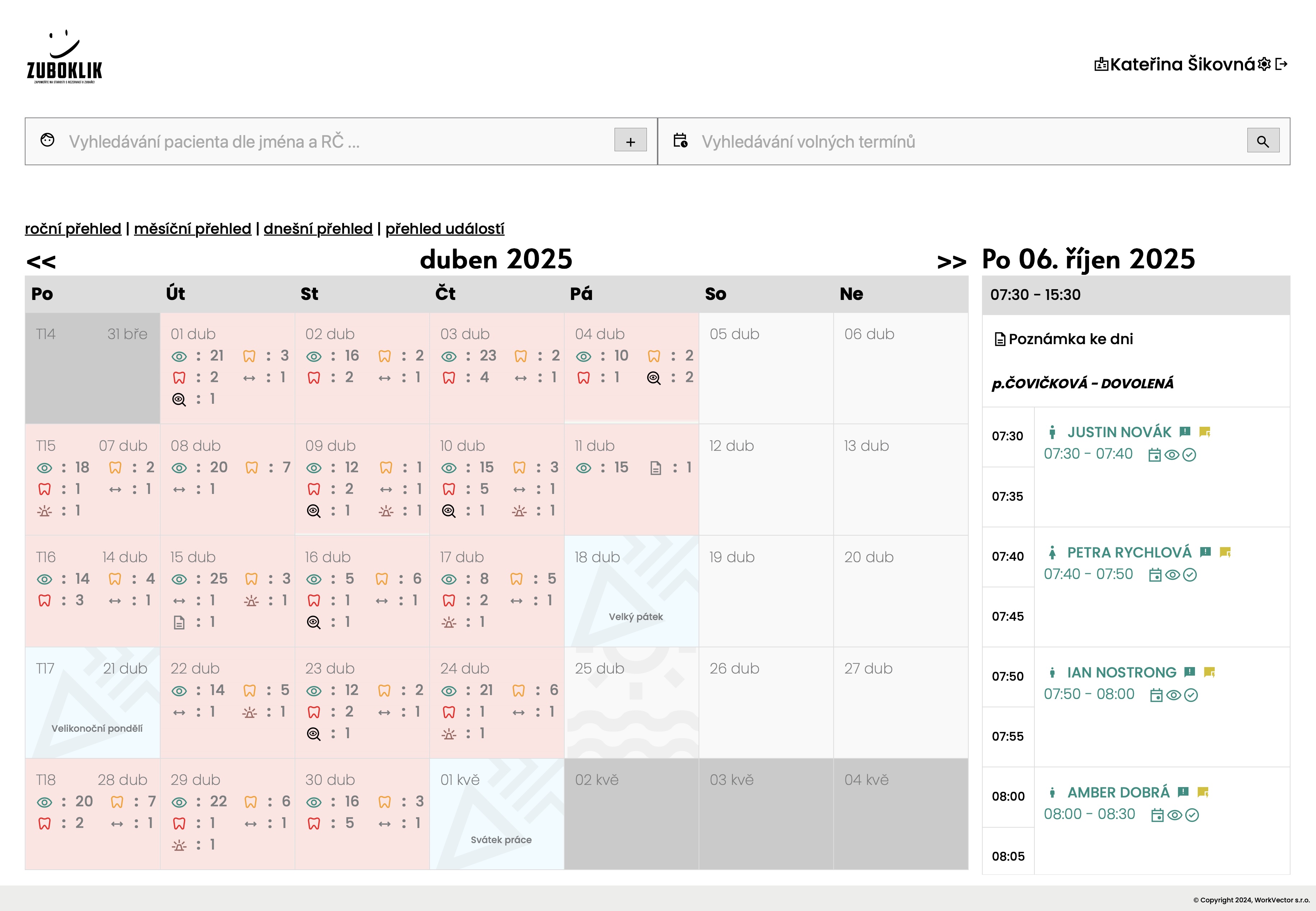
Today: a paper pad and a pencil
At a glance the nurse sees the free places, the kinds of treatment and the notes for the day.
What you doNothing.
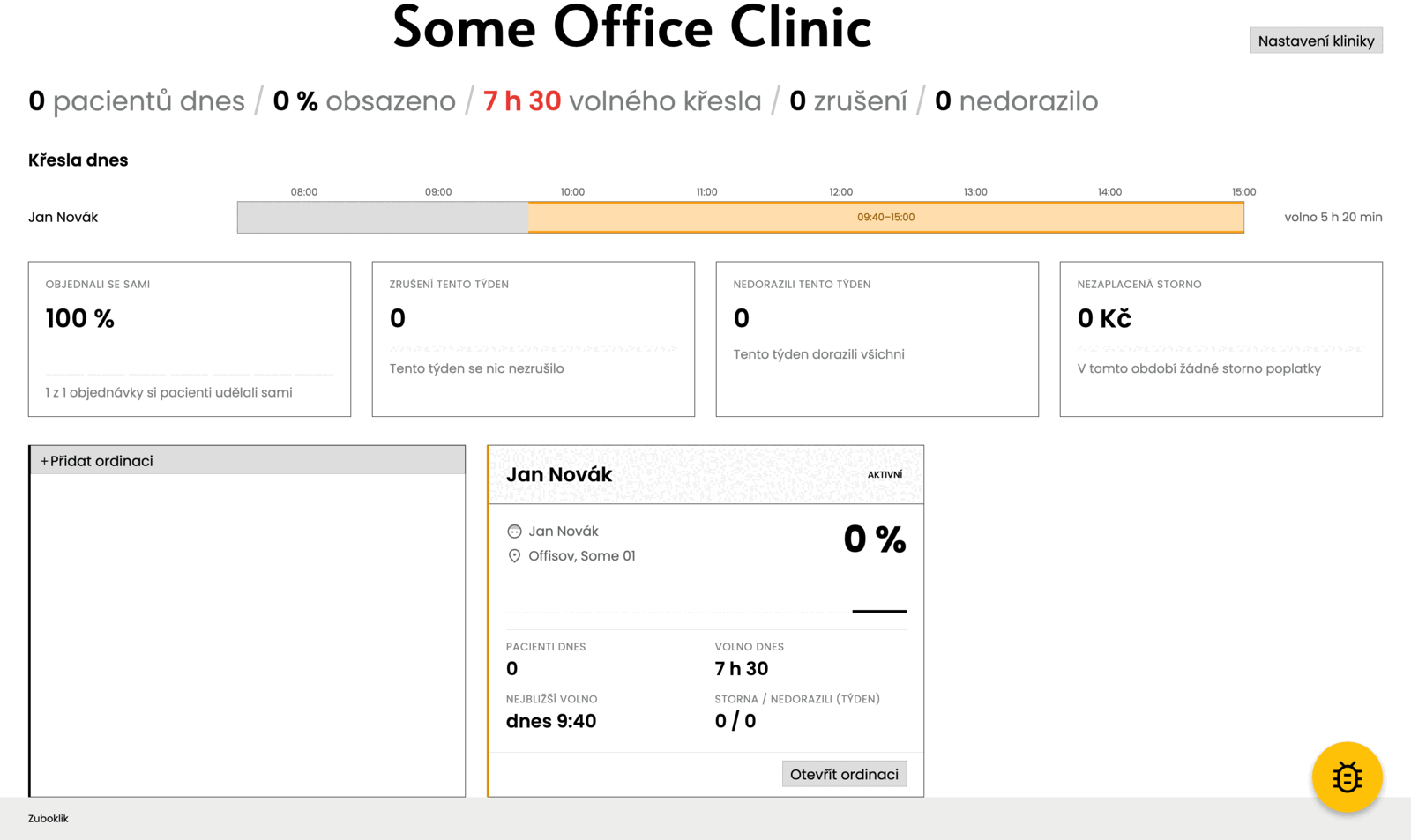
Today: reports from the head nurse
The state of the clinic in one sentence, today’s occupancy of every chair, the share of online bookings, cancellations and no-shows.
What you doNothing, the numbers work themselves out.
Worry: “This is for a single dentist”
Each dentist has their own surgery and calendar, and the clinic holds them together.
What you doCreate the surgeries in the wizard.
Worry: “I would have to leave my software”
Zuboklik only handles booking. Records and reporting stay in your own software.
What you doYou switch nothing off.
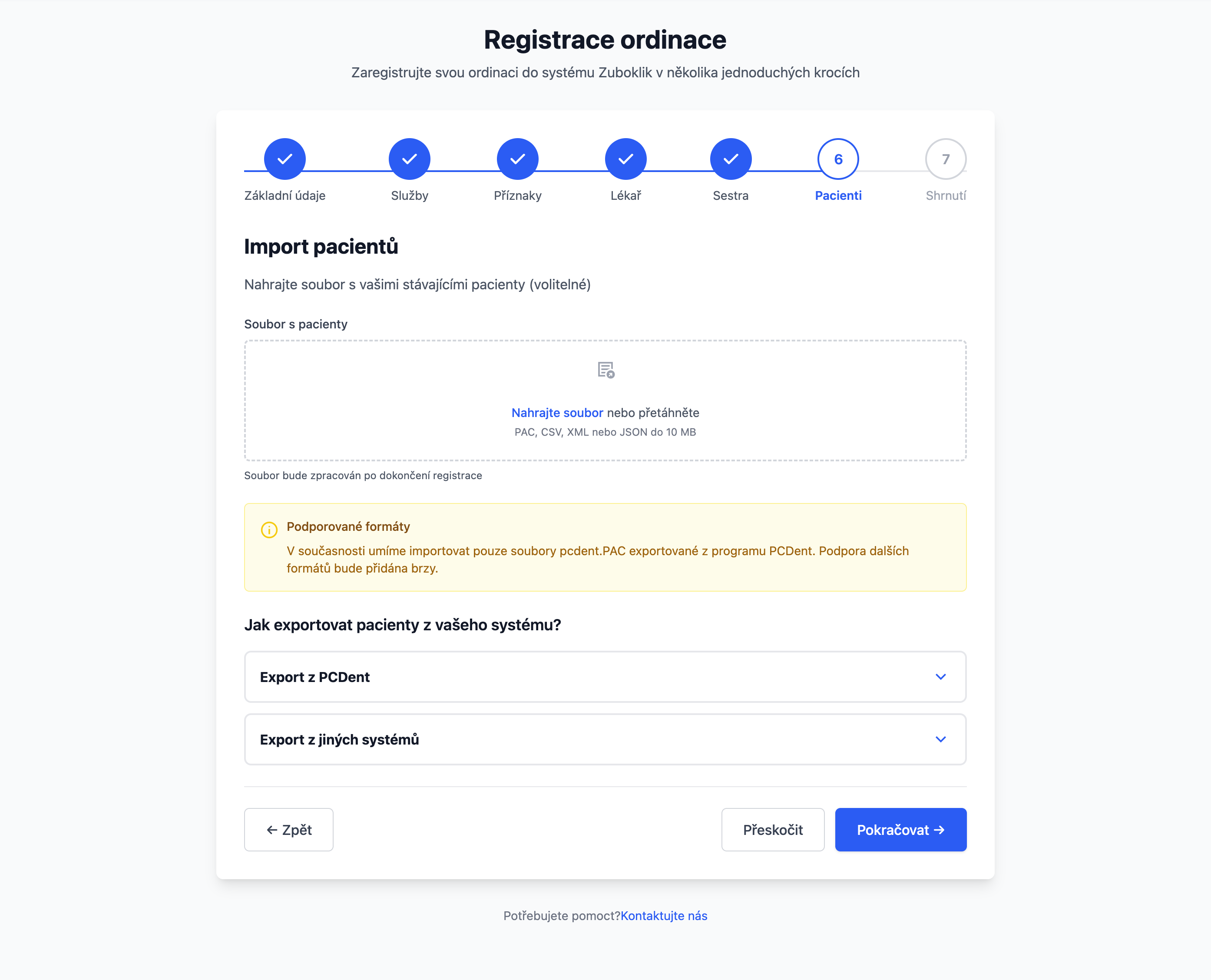
Worry: “I am not retyping the card index”
You upload the PC DENT file following the instructions in the settings. With any other export, we help.
What you doUpload the file, or send it to us.
Worry: “We have no time to roll anything out”
The wizard creates the clinic and its surgeries and pre-fills treatment types by specialisation.
What you do30 minutes, once.
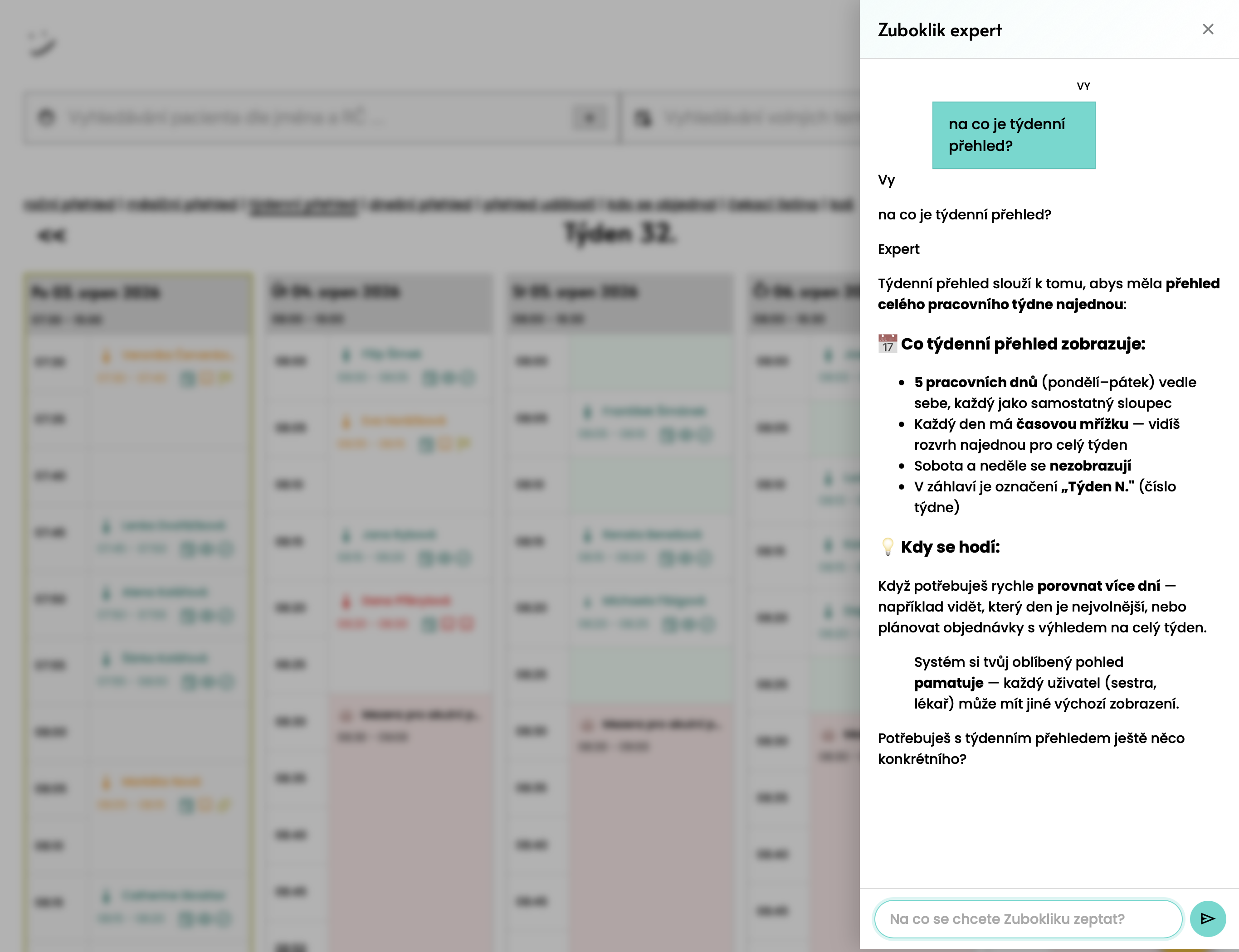
Worry: “Who is going to teach the nurse?”
The in-app helper answers only from the Zuboklik instructions. It never speaks to patients and diagnoses nothing.
What you doNothing.
Today: the calendar is only open in the surgery
Connect your Claude or ChatGPT assistant and it finds, books and moves appointments. You confirm every write first.
What you doConnect the assistant and allow it to write.

Today: the holes show up only in a report
An occupancy map by day and hour over the last four weeks marks the places that never fill.
What you doNothing, it is worked out for you.
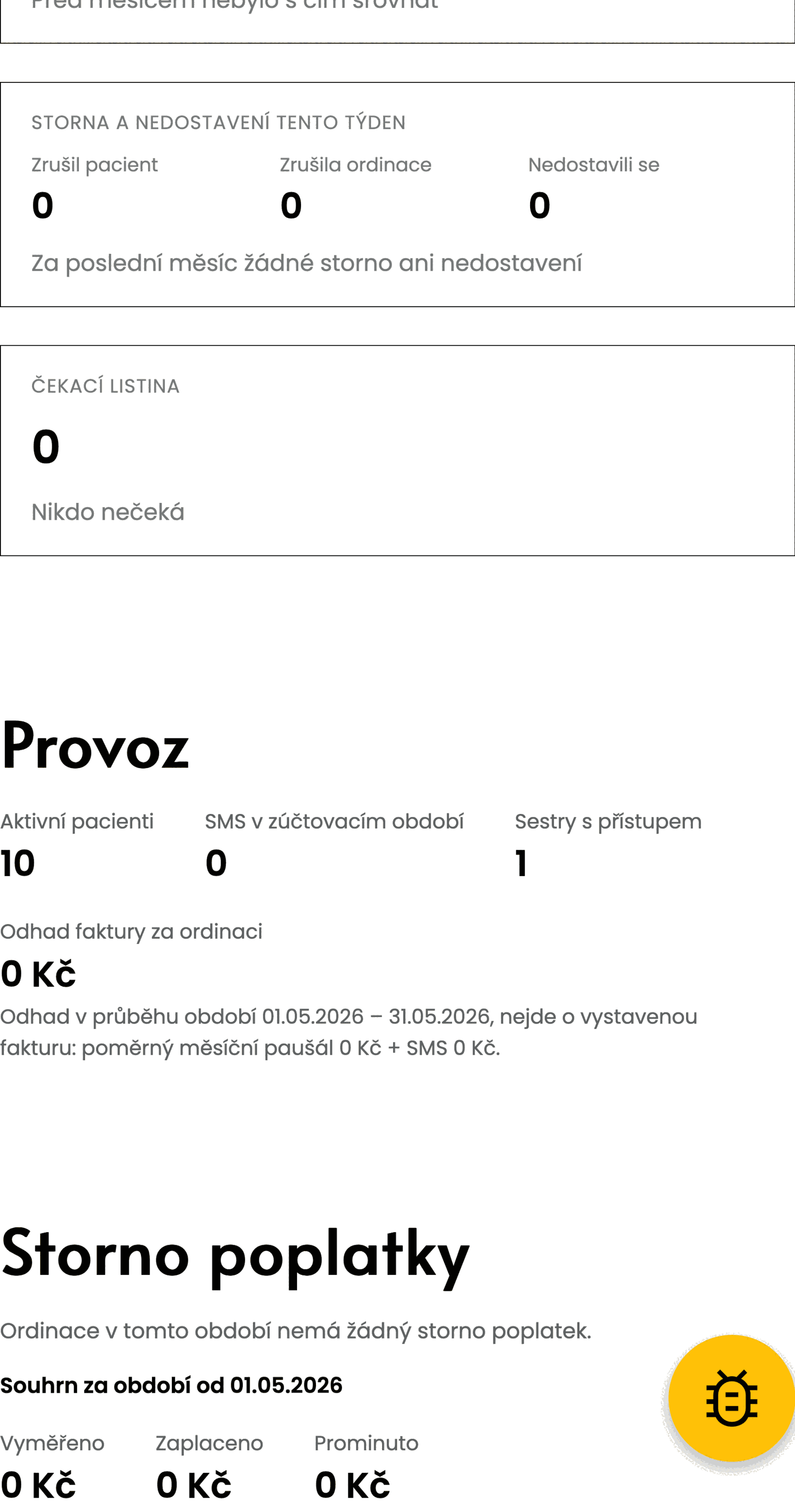
Today: only reception knows who owes what
The surgery overview shows fees for the period and those overdue, plus active patients and messages sent.
What you doNothing.
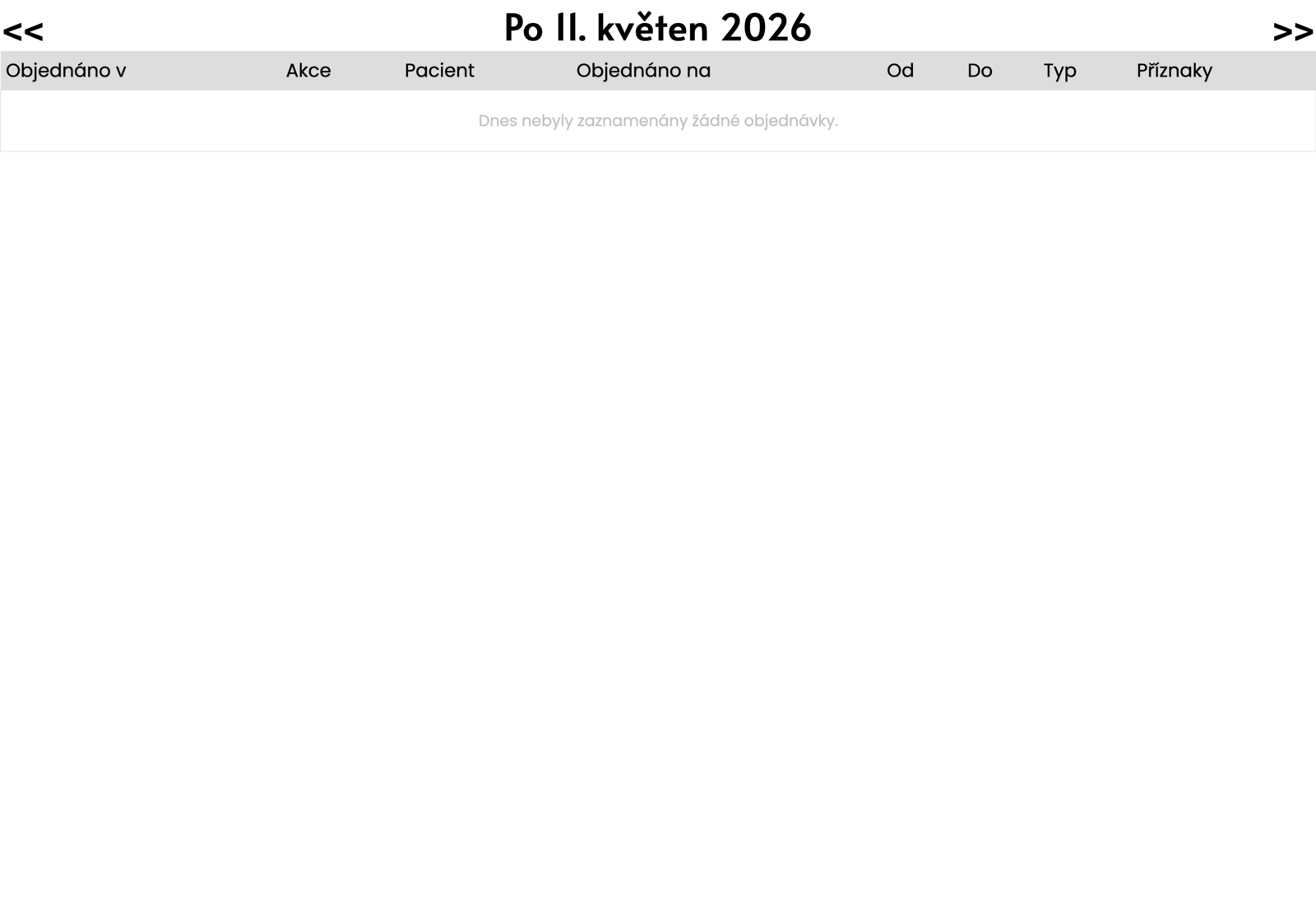
Today: “Who cancelled that one again?”
One overview of today’s patient changes: new bookings, moves and cancellations, each linking into the calendar.
What you doNothing.
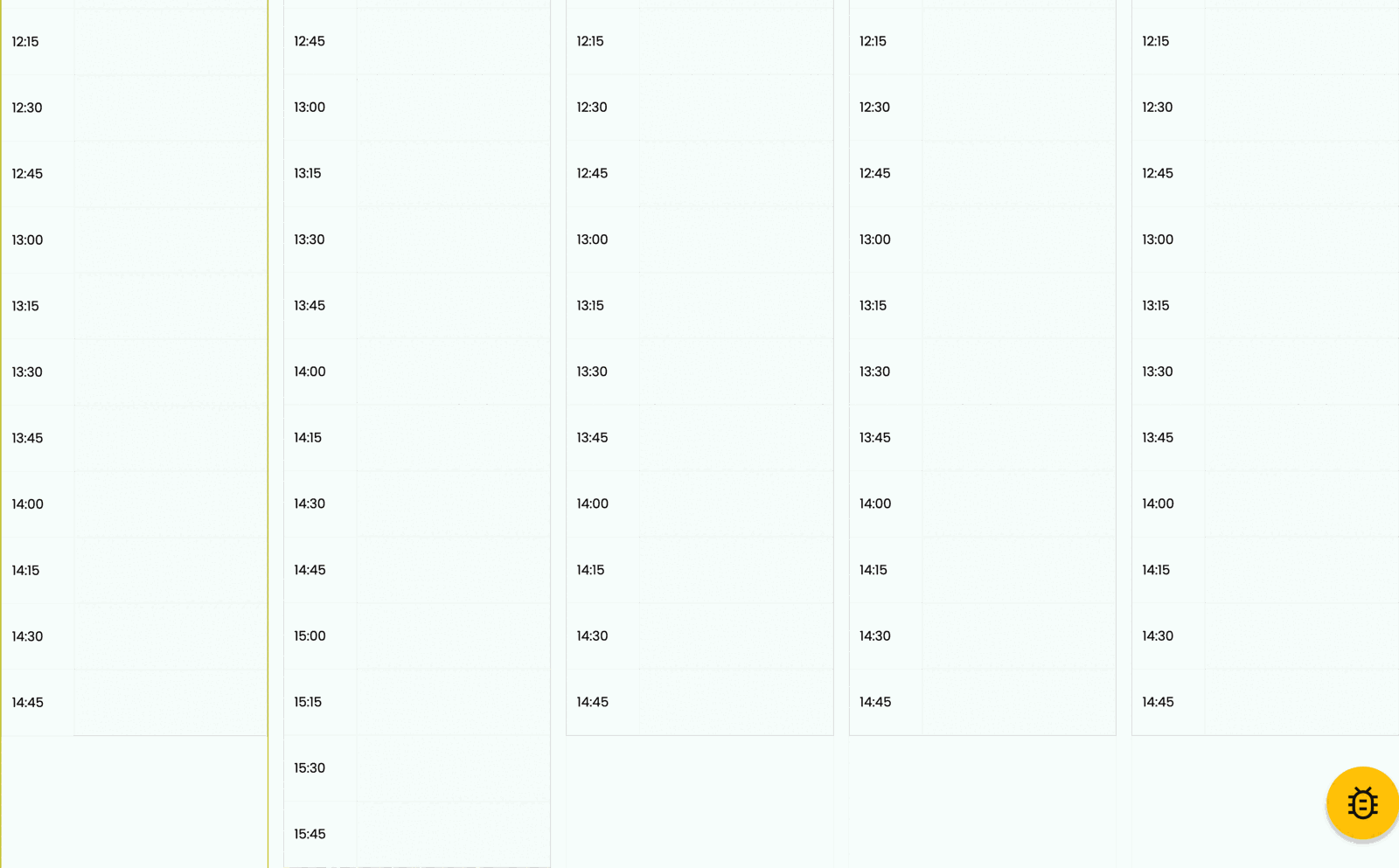
Today: paging through day by day
Monday to Friday side by side, with every appointment, break and note.
What you doNothing.
Worry: “It cannot handle a hygienist”
A hygiene surgery works lengths out differently: cleaning 30 minutes for children under 12, 60 for adults, whitening 2 hours.
What you doCreate a hygiene surgery.
The phone is almost silent. Calling substitutes is gone completely.
Whoever called got an SMS with a link and next time booked themselves. I book the seniors myself, I type 'NEXT WEEK 20 MINUTES MONDAY' and I have a slot. Fights about appointments are gone too.
As of September 28, 2026
| Feature | Zuboklik | Module in the practice software | Generic booking system |
|---|---|---|---|
| Appointment length from symptoms | At booking | Not supported | Same length for everyone |
| Waitlist with SMS | Automatic | Not supported | Manual |
| Word search for appointments | Plain Czech, in a sentence | Not supported | Day-by-day calendar |
| Gaps for acute cases | Every day, on their own | Manual | Not supported |
| Reschedule by the patient | From the phone, instantly | By phone | By phone |
| No own calendar | Runs alongside your software | — | Data migration needed |
| Price | CZK 690 + SMS | Part of licence | Per doctor |